
第1页 / 共2页
试读已结束,还剩1页,您可下载完整版后进行离线阅读
THE END
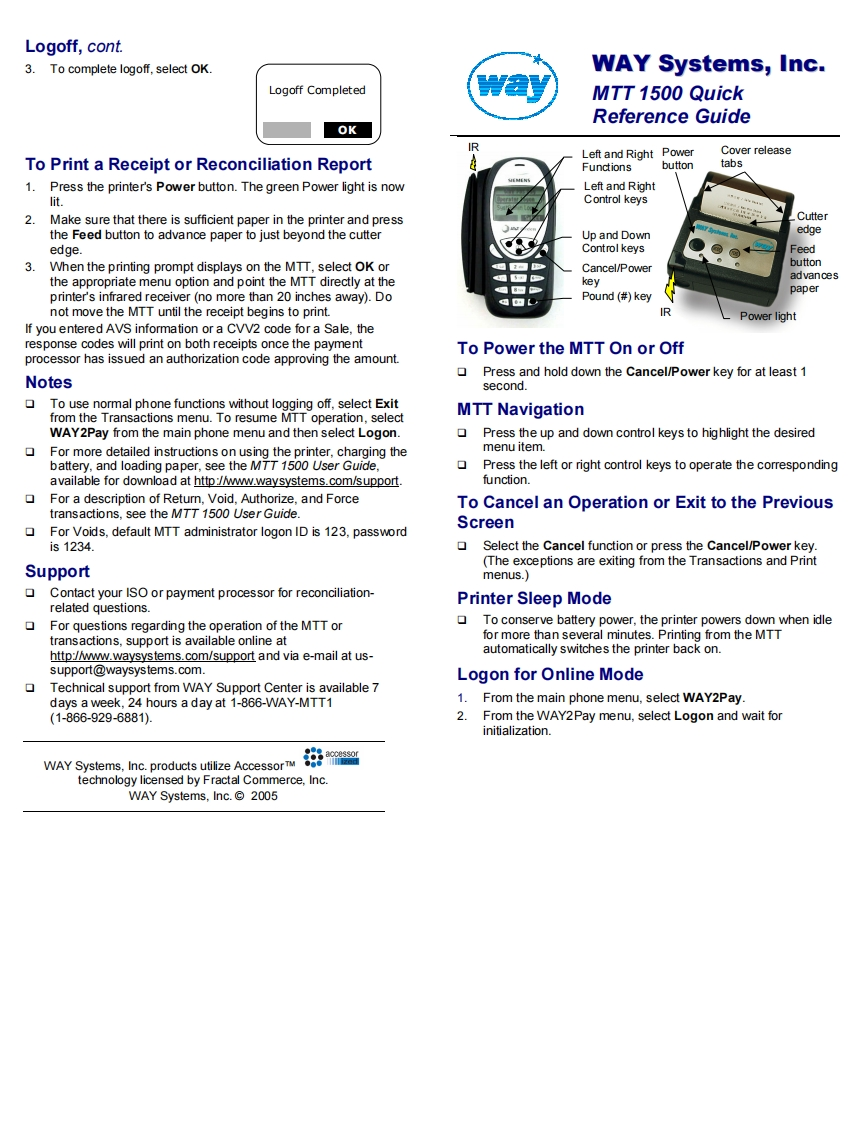
Logoff,cont.3.To complete logoff,select OK.WAY Systems,Inc.Logoff CompletedwayMTT 1500 QuickReference GuideOKRTo Print a Receipt or Reconciliation ReportLeft and Right PowerCover releaseFunctionsbuttontabs1.Press the printer's Power button.The green Power light is nowLeft and Rightlit.Control keys2.Make sure that there is sufficient paper in the printer and pressCutterthe Feed button to advance paper to just beyond the cutterUp and Downedgeedge.Control keysFeedWhen the printing prompt displays on the MTT,select OK or1海Cancel/Powerbuttonadvancesthe appropriate menu option and point the MTT directly at thekey回8paperprinter's infrared receiver(no more than 20 inches away).DoPound (#keynot move the MTT until the receipt begins to print.RPower lightIf you entered AVS information or a CVV2 code for a Sale,theresponse codes will print on both receipts once the paymentTo Power the MTT On or Offprocessor has issued an authorization code approving the amount.NotesPress and hold down the Cancel/Power key for at least 1second.To use normal phone functions without logging off,select Exitfrom the Transactions menu.To resume MTT operation,selectMTT NavigationWAY2Pay from the main phone menu and then select Logon.Press the up and down control keys to highlight the desiredFor more detailed instructions on using the printer,charging themenu item.battery,and loading paper,see the MTT 1500 User Guide,Press the left or right control keys to operate the correspondingavailable for download at http://www.waysystems.com/support.function.For a description of Return,Void,Authorize,and ForceTo Cancel an Operation or Exit to the Previoustransactions,see the MTT 1500 User Guide.For Voids,default MTT administrator logon ID is 123,passwordScreenis1234.Select the Cancel function or press the Cancel/Power key.(The exceptions are exiting from the Transactions and PrintSupportmenus.)Contact your ISO or payment processor for reconciliation-Printer Sleep Moderelated questions.For questions regarding the operation of the MTT orTo conserve battery power,the printer powers down when idletransactions,support is available online atfor more than several minutes.Printing from the MTThttp://ww.waysystems.com/support and via e-mail at us-automatically switches the printer back on.support@waysystems.com.Logon for Online Mode▣Technical support from WAY Support Center is available 7days a week,24 hours a day at 1-866-WAY-MTT11.From the main phone menu,select WAY2Pay(1-866-929-6881).2.From the WAY2Pay menu,select Logon and wait forinitialization.WAY Systems,Inc.products utilize AccessorTM出atechnology licensed by Fractal Commerce,Inc.WAY Systems.Inc.2005


请登录后查看评论内容