v800_user_manual操作说明书手册

v800_user_manual操作说明书手册新质力文库 - 聚焦新质生产力发展的数字化知识库_行业洞察 / 理论成果 / 实践指南免费下载新质力文库
v800_user_manual操作说明书手册
此内容为付费资源,请付费后查看
1923
立即购买
您当前未登录!建议登陆后购买,可保存购买订单
付费资源

第1页 / 共24页
试读已结束,还剩23页,您可下载完整版后进行离线阅读
THE END
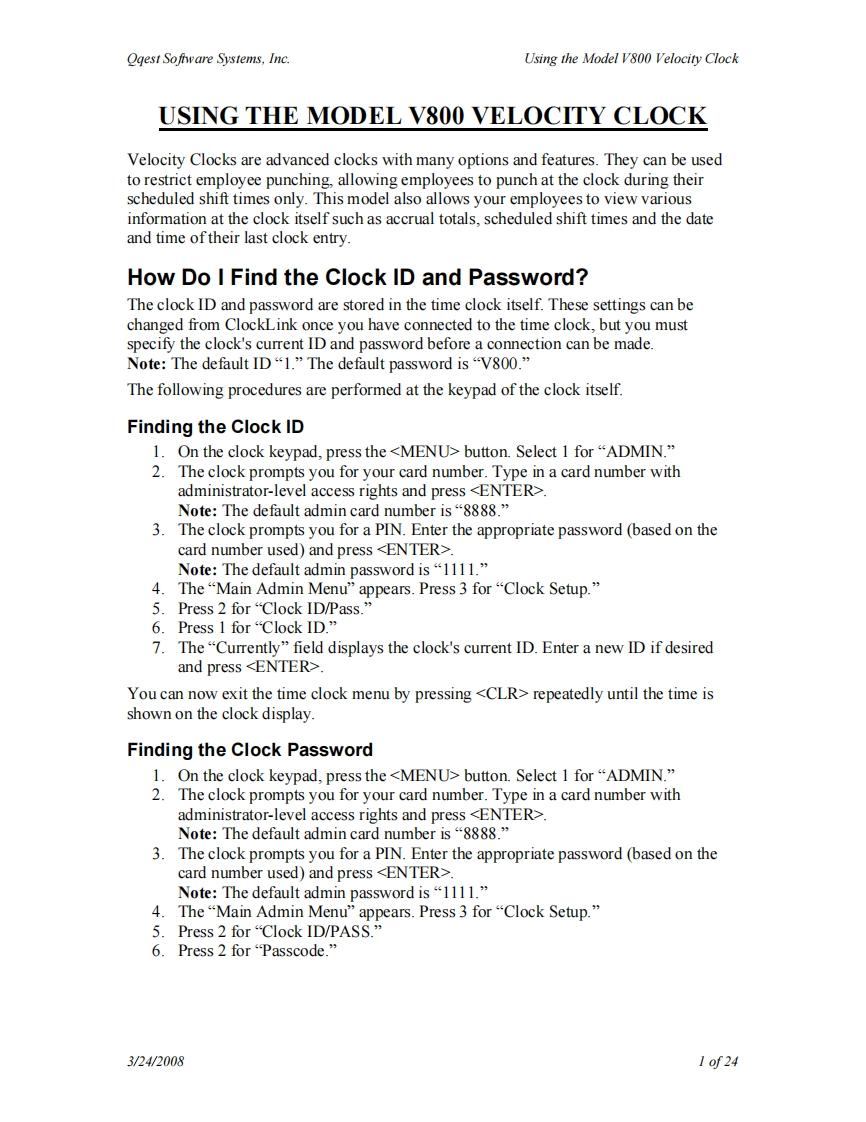
Oqest Sofware Systems,Inc.Using the Model V800 Velocity ClockUSING THE MODEL V800 VELOCITY CLOCKVelocity Clocks are advanced clocks with many options and features.They can be usedto restrict employee punching,allowing employees to punch at the clock during theirscheduled shift times only.This model also allows your employees to view variousinformation at the clock itself such as accrual totals,scheduled shift times and the dateand time of their last clock entry.How Do I Find the Clock ID and Password?The clock ID and password are stored in the time clock itself.These settings can bechanged from ClockLink once you have connected to the time clock,but you mustspecify the clock's current ID and password before a connection can be madeNote:The default ID“1.”The default password is"V8O0.”The following procedures are performed at the keypad of the clock itself.Finding the Clock ID1.On the clock keypad,press the button.Select 1 for "ADMIN."2.The clock prompts you for your card number.Type in a card number withadministrator-level access rights and press Note:The default admin card number is“8888.”3.The clock prompts you for a PIN.Enter the appropriate password (based on thecard number used)and press .Note:The default admin password is“1lll.”4.The“Main Admin Menu”appears.Press3for“Clock Setup.5.Press2for“Clock ID/Pass.”6.Press1for“Clock ID.”7.The"Currently"field displays the clock's current ID.Enter a new ID if desiredand press You can now exit the time clock menu by pressing repeatedly until the time isshown on the clock display.Finding the Clock Password1.On the clock keypad,press the button.Select 1 for "ADMIN."2.The clock prompts you for your card number.Type in a card number withadministrator-level access rights and press .Note:The default admin card number is“8888.”3.The clock prompts you for a PIN.Enter the appropriate password (based on thecard number used)and press .Note:The default admin password is“1lll.”4.The"Main Admin Menu”appears.Press3for“Clock Setup.”5.Press2for“Clock ID/PASS.”6.Press 2 for"Passcode."3/24/20081of24
喜欢就支持一下吧
评论 抢沙发

请登录后发表评论

    请登录后查看评论内容