
第1页 / 共4页
试读已结束,还剩3页,您可下载完整版后进行离线阅读
THE END
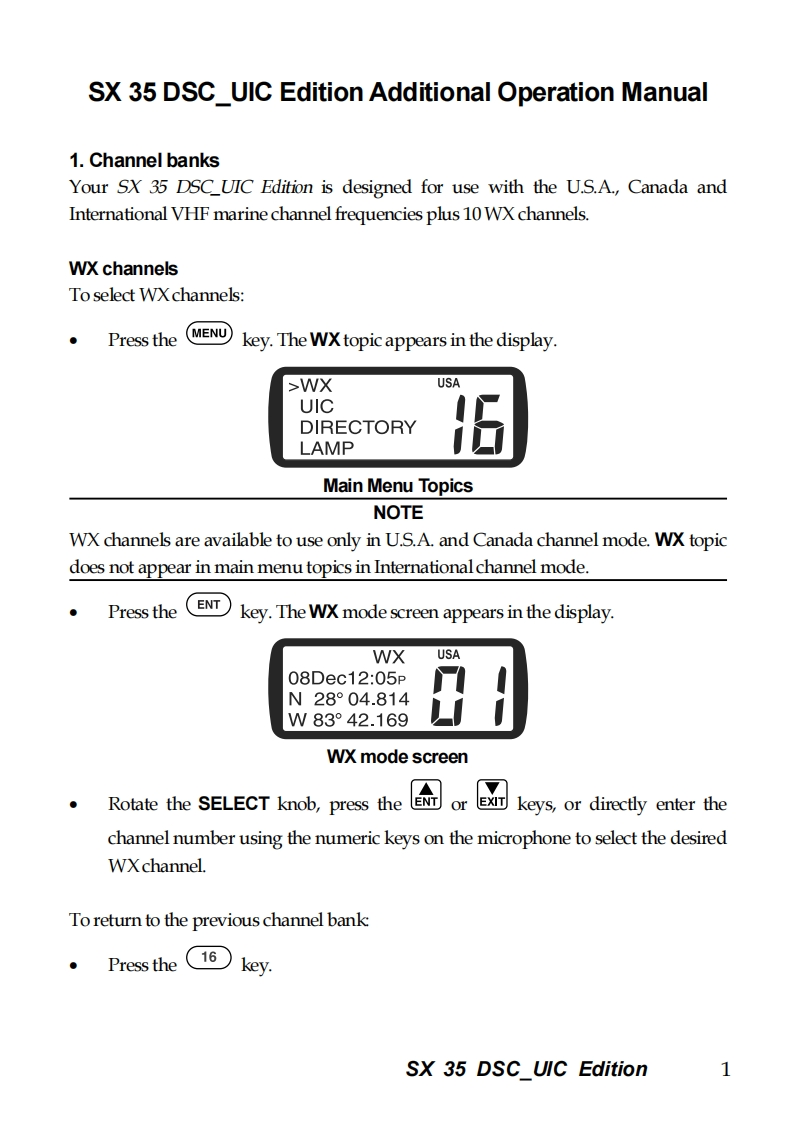
SX 35 DSC UIC Edition Additional Operation Manual1.Channel banksYour SX 35 DSC_UIC Edition is designed for use with the U.S.A.,Canada andInternational VHF marine channel frequencies plus 10 WX channels.WX channelsTo select WXchannels:Press the(MENUkey.The WX topic appears in the display.>WXUSAUICDIRECTORYLAMPMain Menu TopicsNOTEWX channels are available to use only in U.S.A.and Canada channel mode.WX topicdoes not appear in main menu topics in International channel mode.Press theENTkey.The WX mode screen appears in the display.WXUSA08Dec12:05PN28°04.814W83°42.169WX mode screen●Rotate the SELECT knob,press the NT or Ex keys,or directly enter thechannel number using the numeric keys on the microphone to select the desiredWXchannel.To return to the previous channel bank:.Press the(16key.SX 35 DSC UIC Edition1


请登录后查看评论内容