
第1页 / 共2页
试读已结束,还剩1页,您可下载完整版后进行离线阅读
THE END
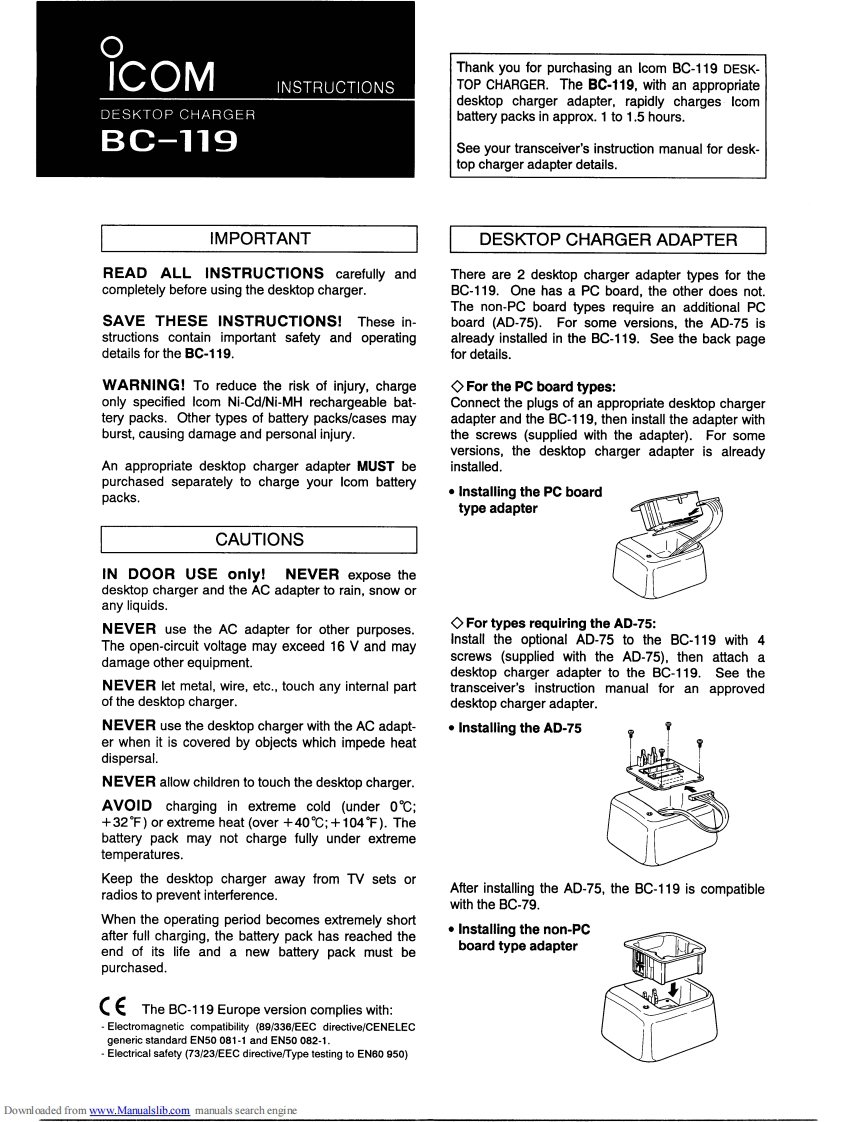
Thank you for purchasing an Icom BC-119 DESK-INSTRUCTIONSTOP CHARGER.The BC-119,with an appropriatedesktop charger adapter.rapidly charges IcomDESKTOP CHARGERbattery packs in approx.1 to 1.5 hours.BC-119See your transceiver's instruction manual for desk-top charger adapter details.IMPORTANTDESKTOP CHARGER ADAPTERREAD ALL INSTRUCTIONS carefully andThere are 2 desktop charger adapter types for thecompletely before using the desktop charger.BC-119.One has a PC board,the other does not.The non-PC board types require an additional PCSAVE THESE INSTRUCTIONS!These in-board (AD-75).For some versions,the AD-75 isstructions contain important safety and operatingalready installed in the BC-119.See the back pagedetails for the BC-119.for details.WARNING!To reduce the risk of injury,chargeFor the PC board types:only specified Icom Ni-Cd/Ni-MH rechargeable bat-Connect the plugs of an appropriate desktop chargertery packs.Other types of battery packs/cases mayadapter and the BC-119,then install the adapter withburst,causing damage and personal injury.the screws (supplied with the adapter).For someversions,the desktop charger adapter is alreadyAn appropriate desktop charger adapter MUST beinstalled.purchased separately to charge your Icom batterypacks.Installing the PC boardtype adapterCAUTIONSIN DOOR USE only!NEVER expose thedesktop charger and the AC adapter to rain,snow orany liquids.NEVER use the AC adapter for other purposes.For types requiring the AD-75:The open-circuit voltage may exceed 16 V and mayInstall the optional AD-75 to the BC-119 with 4damage other equipment.screws (supplied with the AD-75).then attach adesktop charger adapter to the BC-119.See theNEVER let metal,wire,etc.,touch any internal parttransceiver's instruction manual for an approvedof the desktop charger.desktop charger adapter.NEVER use the desktop charger with the AC adapt-·Installing the AD-75er when it is covered by objects which impede heatdispersal.NEVER allow children to touch the desktop charger.AVOID charging in extreme cold(under 0℃;+32F)or extreme heat(over+40℃;+104℉).Thebattery pack may not charge fully under extremetemperatures.Keep the desktop charger away from TV sets orradios to prevent interference.After installing the AD-75,the BC-119 is compatiblewith the BC-79.When the operating period becomes extremely shortafter full charging.the battery pack has reached the·Installing the non-Pcend of its life and a new battery pack must beboard type adapterpurchased.The BC-119 Europe version complies with:Electromagnetic compatibility (89/336/EEC directive/CENELECgeneric standard EN50 081-1 and EN50 082-1.Electrical safety (73/23/EEC directive/Type testing to EN60 950)Downloaded from www.Manualslib.com manuals search engine


请登录后查看评论内容