
第1页 / 共2页
试读已结束,还剩1页,您可下载完整版后进行离线阅读
THE END
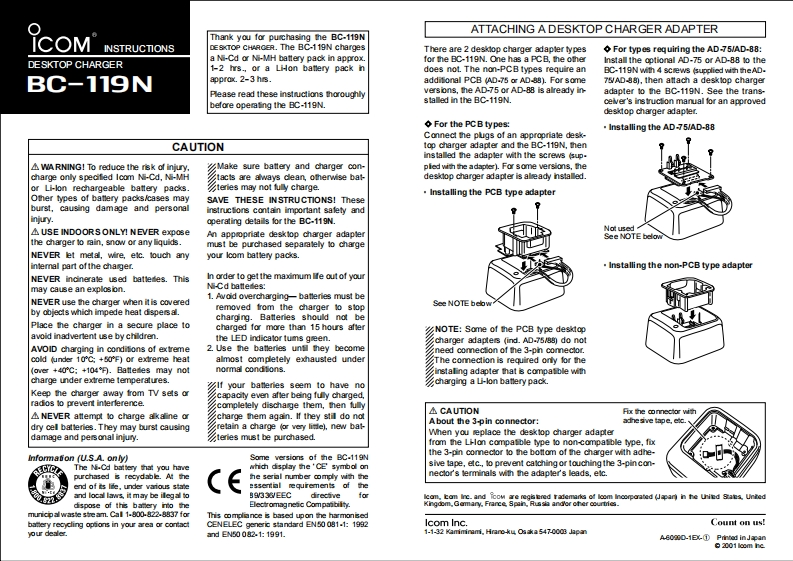
COMATTACHING A DESKTOP CHARGER ADAPTERThank you for puchasing the BC.119NDESKToP CHARGER.The BC-119N chargesThere are 2 deskop charger adapter typesFor types requiring the AD-75/AD-88:for the BC-119N.One has a PCB,the otherDESKTOP CHARGERa Ni-Cd or Ni-MH battery pack in approx.Install the optional AD-75 or AD-88 to the1-2 hrs.,or a Lion batlery pack ndoes not.The non-PCB types require anBC-119N with 4 scsews (supplied with theAD.BC-119Napprox.2-3 hes.addisonal PCB (AD-75 or AD-88).For some75/AD-88),then attach a desktop chargerPlease read these instructions thoroughlyversions,the AD-75 or AD-88 is already inadapter to the BC-119N.See the trans-before operating the BC-119N.stalled in the BC-119N.cevver's ins truction manual for an approveddesktop charger adapter.◆For the PCB types:Installing the AD-75/AD-88Connect the plugs of an appropriate desk-CAUTIONtop charger adapter and the BC-119N,theninstalled the adapter with the screws sup.A WARNING!To reduce the risk of injury.Make sure battery and charger con-pled with the adapter).For some versions,thecharge only specifed lcom Ni-Cd,Ni-MHtacts are aways dean,otherwise batdeskop charger adapter is aleady installed.or Li-lon rechargeable battery packs.teries may not fuly charge.Installing the PCB type adapterOther types of battery packs/cases maySAVE THESE INSTRUCTIONS!Theseburst,causing damage and personalinstructons contain important safety andinjury.operating details for the BC.119N.AUSE INDOORS ONLYI NEVER exposeNot usedAn appeopriate desktop charger adapterSee NOTE belowthe charger to main,snow or any lquids.must be purchased separately to chargeNEVER et metal,wire,etc.touch anyyour lcom battery packs.intemal part ofthe chager.Installing the non-PCB type adapterNEVER incinerate used battedes.ThisIn order to get the maximum lfe out of yourmay cause an explosion.Ni-Cd battedes:NEVER use the charger when it is covered1.Avvoid overcharging-batteries must beby objects which impede heat dispersal.removed from the charger to stopSee NOTE beowcharging.Batteries should not bePlace the charger in a secure place tocharged for more than 15 hours afterNOTE:Some of the PCB type desktopavoid inadvertent use by children.the LED indicator tums geen.charger a时apters{nd.A0-758朗do notAVOID charging in conditons of extreme2.Use the batteries untl they becomeneed comection of the 3-phn comector.cold (under 10C:+50PF)or extreme heatalmost completely exhausted underThe comection is requ■ed④ny for the(over +40C:+104*F).Battedies may notnormal condtons.instaling adapter that is compatble withcharge under extreme temperatures.If your batleries seem to have nocharging a Li-lon battery pack.Keep the charger away from TV sets orcapacity even after being fuly charged,radios to prevent interlerence.completely dischange them,then fullyANEVER attempt to charge akaline orcharge them again.If they still do notACAUTIONFiox the connector withdry cell batteries.They may burst causingretain a charge (or very lice),new batAbout the 3-pin


请登录后查看评论内容