
第1页 / 共13页
第2页 / 共13页
试读已结束,还剩11页,您可下载完整版后进行离线阅读
THE END
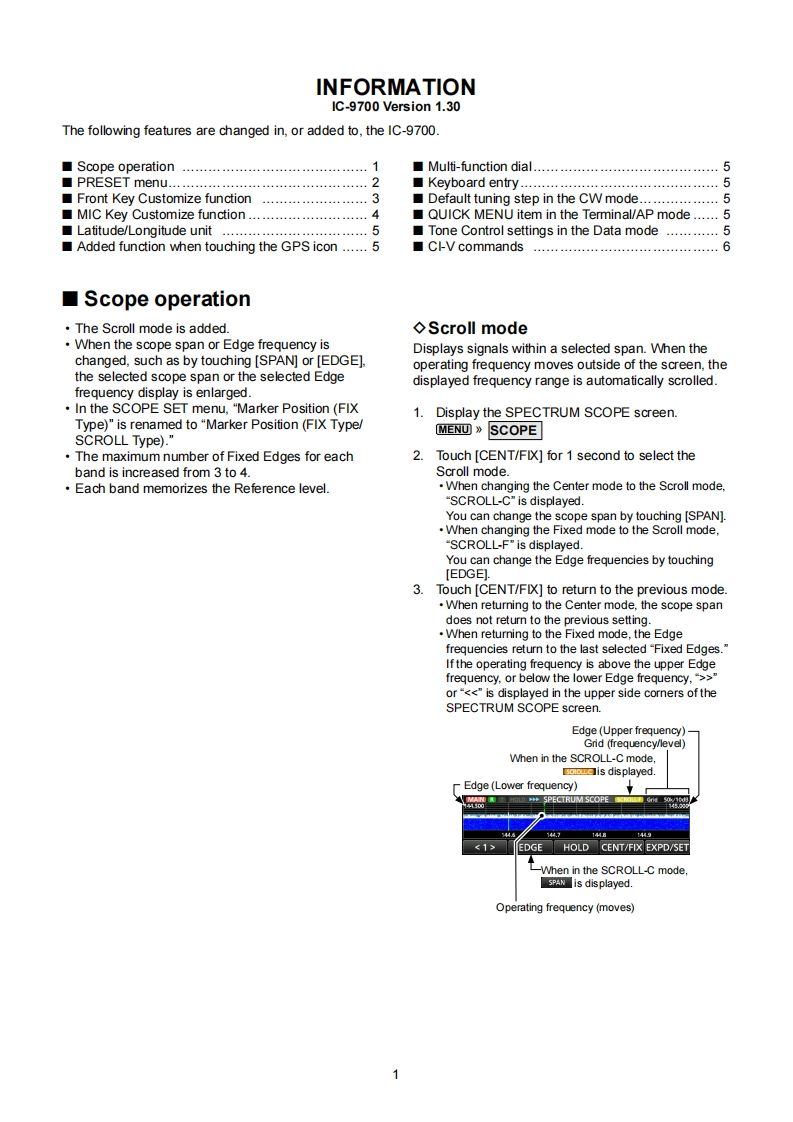
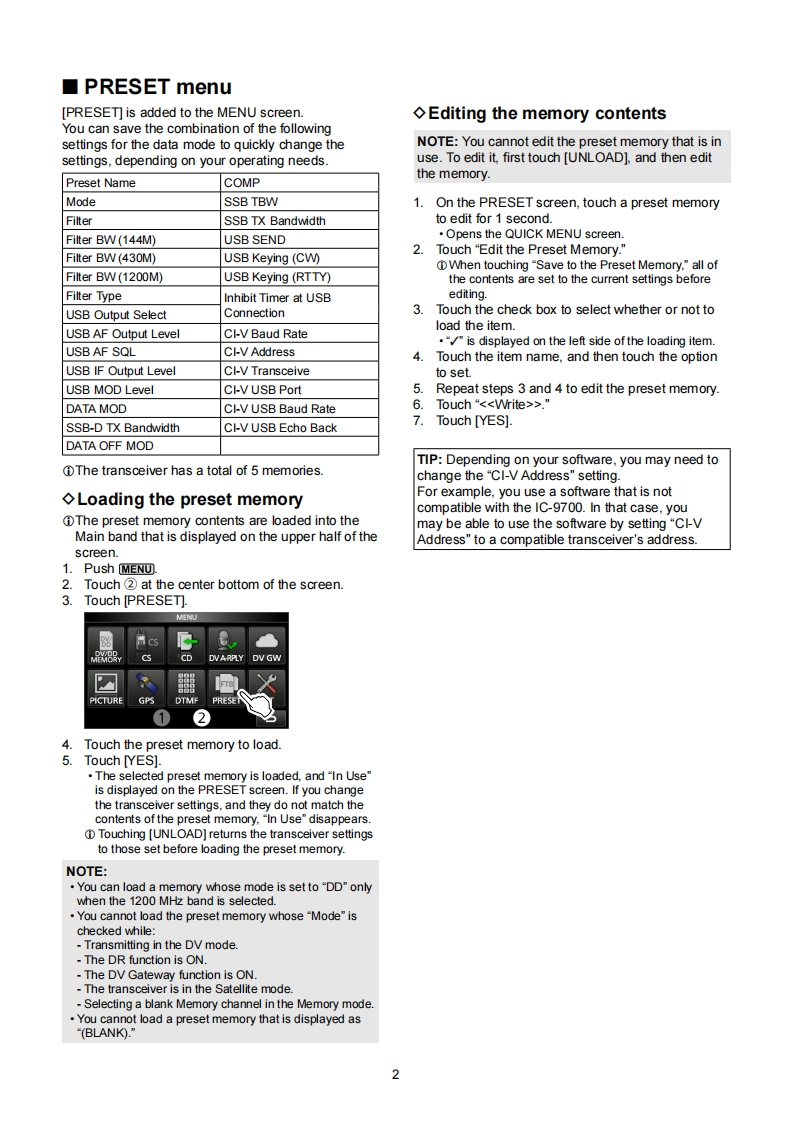
INFORMATIONIC-9700 Version 1.30The following features are changed in,or added to,the IC-9700.Scope operation.............1Multi-function dial....................5■PRESET menu...■Keyboard entry..…5Front Key Customize function4444444444444444444444443Default tuning step in the CW mode.5MIC Key Customize function.................4QUICK MENU item in the Terminal/AP mode......5Latitude/Longitude unitTone Control settings in the Data mode.5Added function when touching the GPS icon ......5■CI-V commands.6■Scope operationThe Scroll mode is added.◇Scroll modeWhen the scope span or Edge frequency isDisplays signals within a selected span.When thechanged,such as by touching [SPAN]or [EDGE].operating frequency moves outside of the screen,thethe selected scope span or the selected Edgedisplayed frequency range is automatically scrolled.frequency display is enlarged.In the SCOPE SET menu,"Marker Position (FIX1.Display the SPECTRUM SCOPE screen.Type)"is renamed to "Marker Position (FIX Type/SCROLL Type)."MEN▣》SCOPEThe maximum number of Fixed Edges for each2.Touch [CENT/FIX]for 1 second to select theband is increased from 3 to 4.Scroll mode.Each band memorizes the Reference level.When changing the Center mode to the Scroll mode."SCROLL-C"is displayed.You can change the scope span by touching [SPAN].When changing the Fixed mode to the Scroll mode."SCROLL-F"is displayed.You can change the Edge frequencies by touching[EDGE]3.Touch [CENT/FIX]to return to the previous mode.When returning to the Center mode,the scope spandoes not return to the previous setting.When returning to the Fixed mode,the Edgefrequencies return to the last selected "Fixed Edges."If the operating frequency is above the upper Edgefrequency.or below the lower Edge frequency,">or<<"is displayed in the upper side corners of theSPECTRUM SCOPE screen.Edge(Upper frequency)Grid (frequency/level)When in the SCROLL-C modeaa▣is displayedEdge (Lower frequency)SPECTRUM SCOPE✉17EDGE HOLD CENT/FIX EXPD/SET-When in the SCROLL-C mode.sAis displayed.Operating frequency (moves)1


请登录后查看评论内容