
第1页 / 共31页
第2页 / 共31页
第3页 / 共31页
第4页 / 共31页
第5页 / 共31页
试读已结束,还剩26页,您可下载完整版后进行离线阅读
THE END
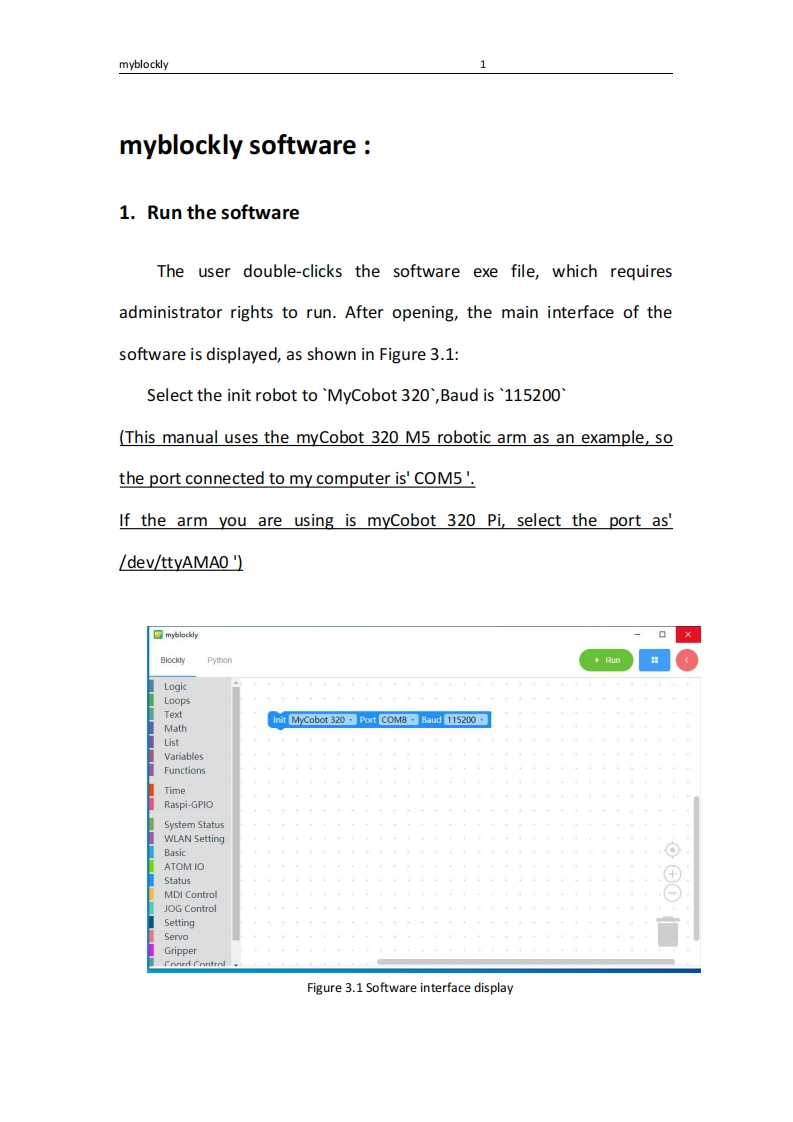
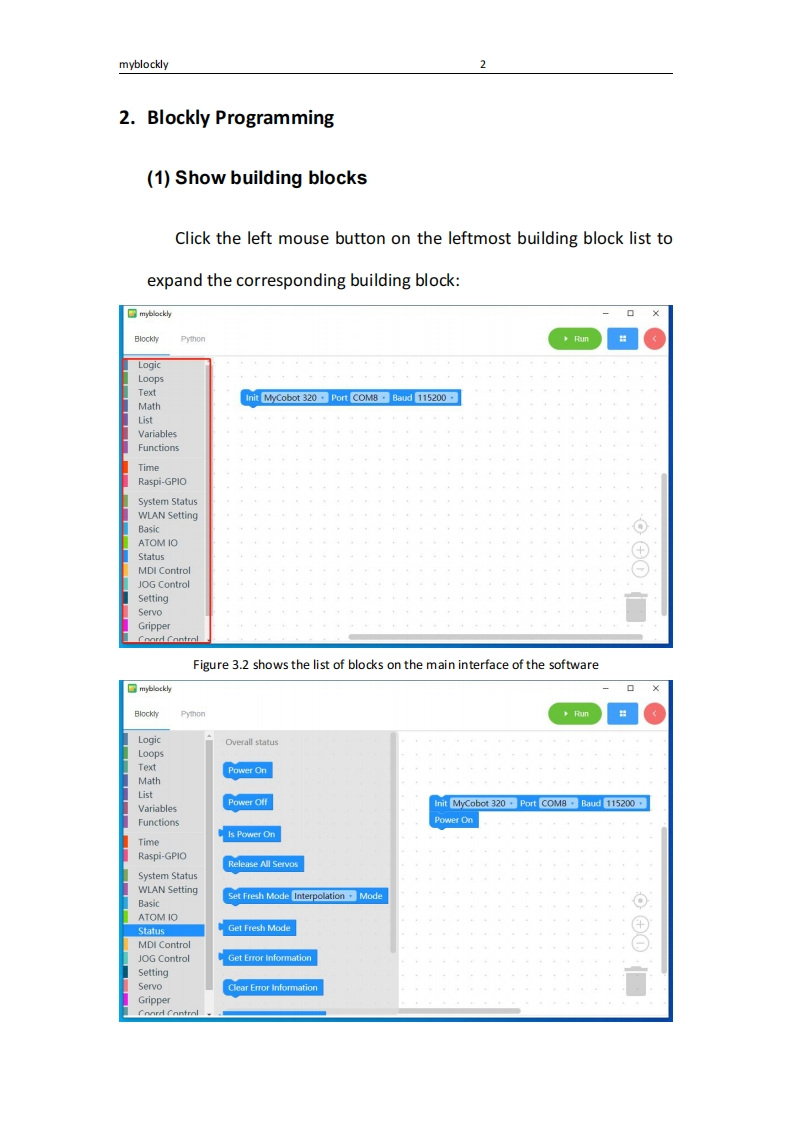
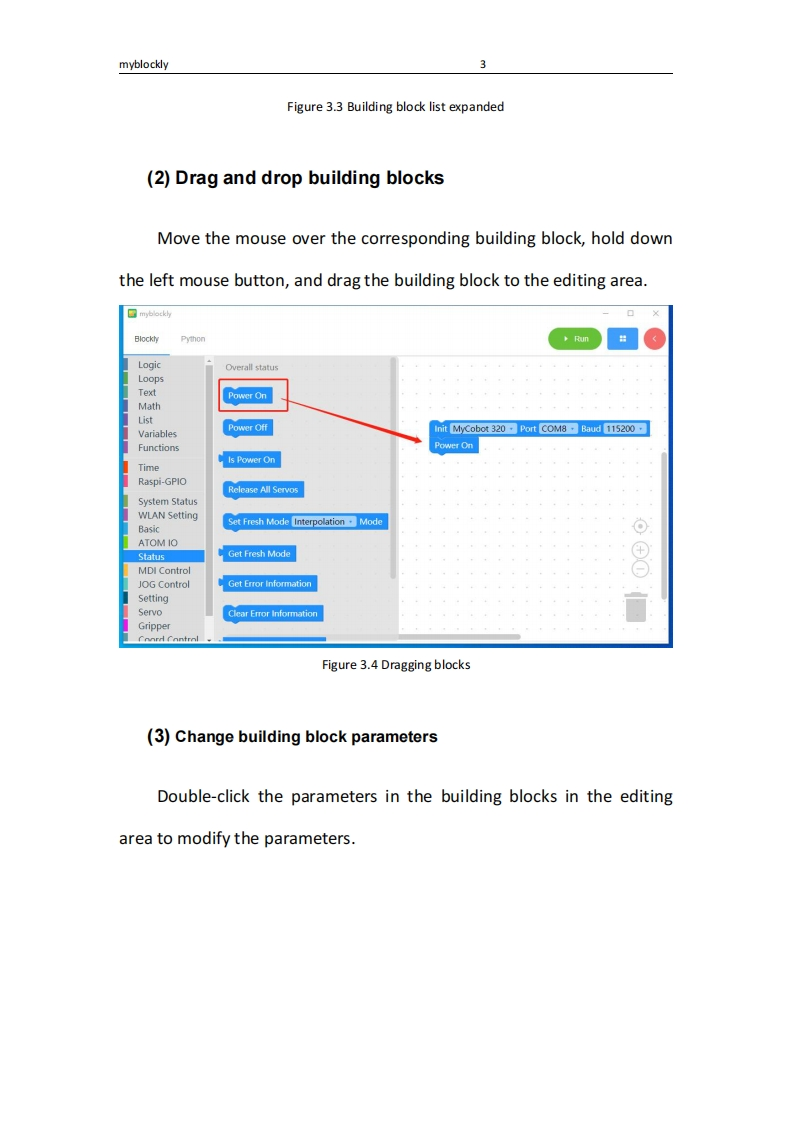
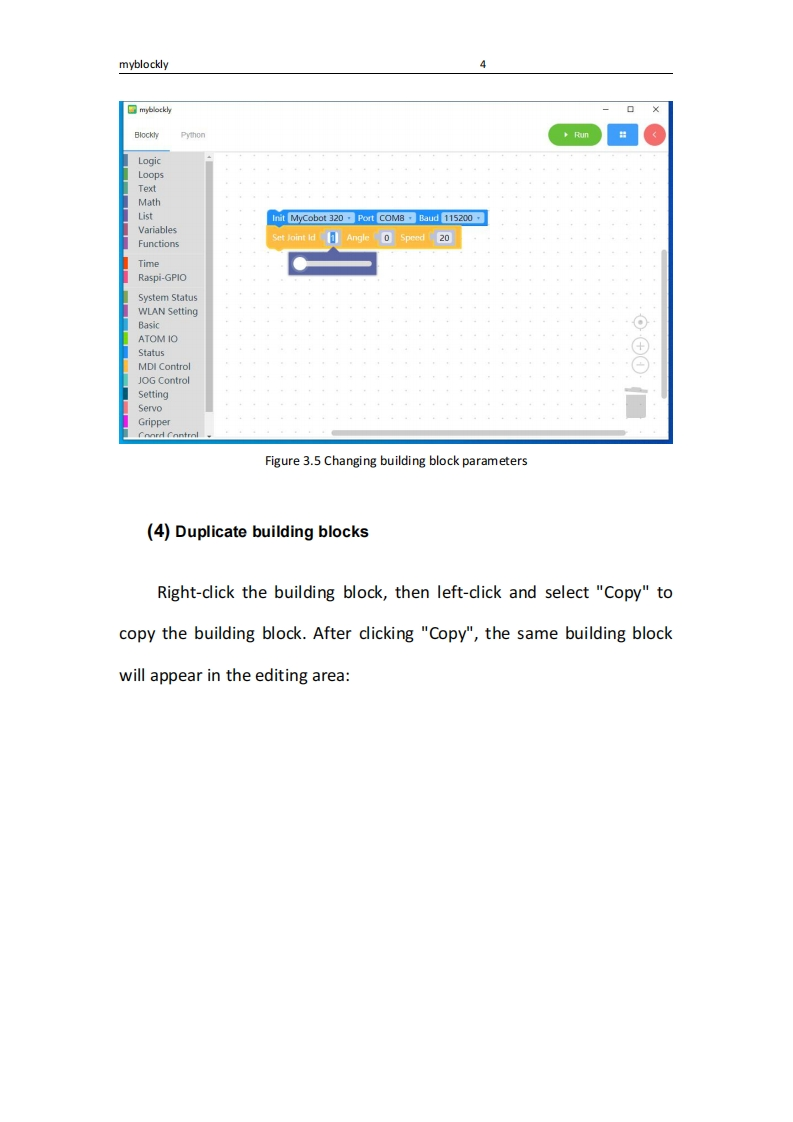
myblockly1myblockly software1.Run the softwareThe user double-clicks the software exe file,which requiresadministrator rights to run.After opening,the main interface of thesoftware is displayed,as shown in Figure 3.1:Select the init robot to 'MyCobot 320',Baud is '115200(This manual uses the myCobot 320 M5 robotic arm as an example,sothe port connected to my computer is'COM5'.If the arm you are using is myCobot 320 Pi,select the port as'/dev/ttyAMAO '□mybl%cyBlocklyPythonLogicLoopsTextInit MyCobot 320-Port COM8 Baud 115200MathListVariablesFunctionsTimeRaspi-GPIOSystem StatusWLAN SettingBasicATOMIOStatusMDI ControlJOG ControlSettingServoGripperConrd ControlFigure 3.1 Software interface display


请登录后查看评论内容