
第1页 / 共6页
试读已结束,还剩5页,您可下载完整版后进行离线阅读
THE END
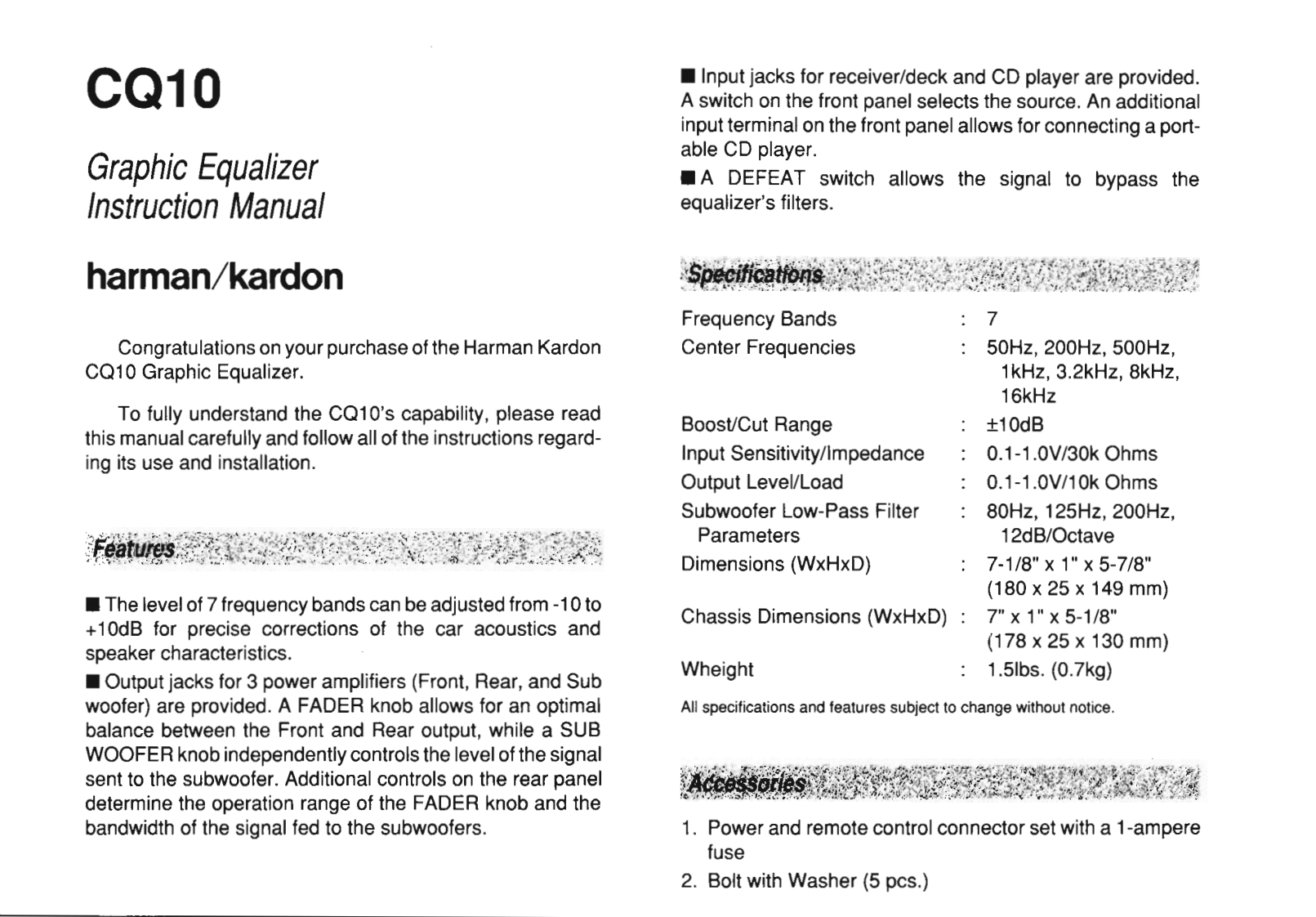
CQ10Input jacks for receiver/deck and CD player are provided.A switch on the front panel selects the source.An additionalinput terminal on the front panel allows for connecting a port-able CD player.Graphic EqualizerA DEFEAT switch allows the signal to bypass theInstruction Manualequalizer's filters.harman/kardonFrequency BandsCongratulations on your purchase of the Harman KardonCenter Frequencies50Hz,200Hz,500Hz,CQ10 Graphic Equalizer.1kHz,3.2kHz,8kHz,16kHzTo fully understand the CQ10's capability,please readBoost/Cut Range±10dBthis manual carefully and follow all of the instructions regard-ing its use and installation.Input Sensitivity/Impedance0.1-1.0V/30 k OhmsOutput Level/Load0.1-1.0V/10 k OhmsSubwoofer Low-Pass Filter80Hz,125H2,200Hz,Parameters12dB/OctaveDimensions (WxHxD)7-1/8"×1"×5-7/8"(180×25×149mm)The level of 7 frequency bands can be adjusted from-10 toChassis Dimensions (WxHxD):7"x 1"x 5-1/8"+10dB for precise corrections of the car acoustics andspeaker characteristics.(178×25×130mm)Output jacks for 3 power amplifiers (Front,Rear,and SubWheight1.5lbs.(0.7kg)woofer)are provided.A FADER knob allows for an optimalAll specifications and features subject to change without notice.balance between the Front and Rear output,while a SUBWOOFER knob independently controls the level of the signalsent to the subwoofer.Additional controls on the rear paneldetermine the operation range of the FADER knob and thebandwidth of the signal fed to the subwoofers.1.Power and remote control connector set with a 1-amperefuse2.Bolt with Washer(5 pcs.)



请登录后查看评论内容