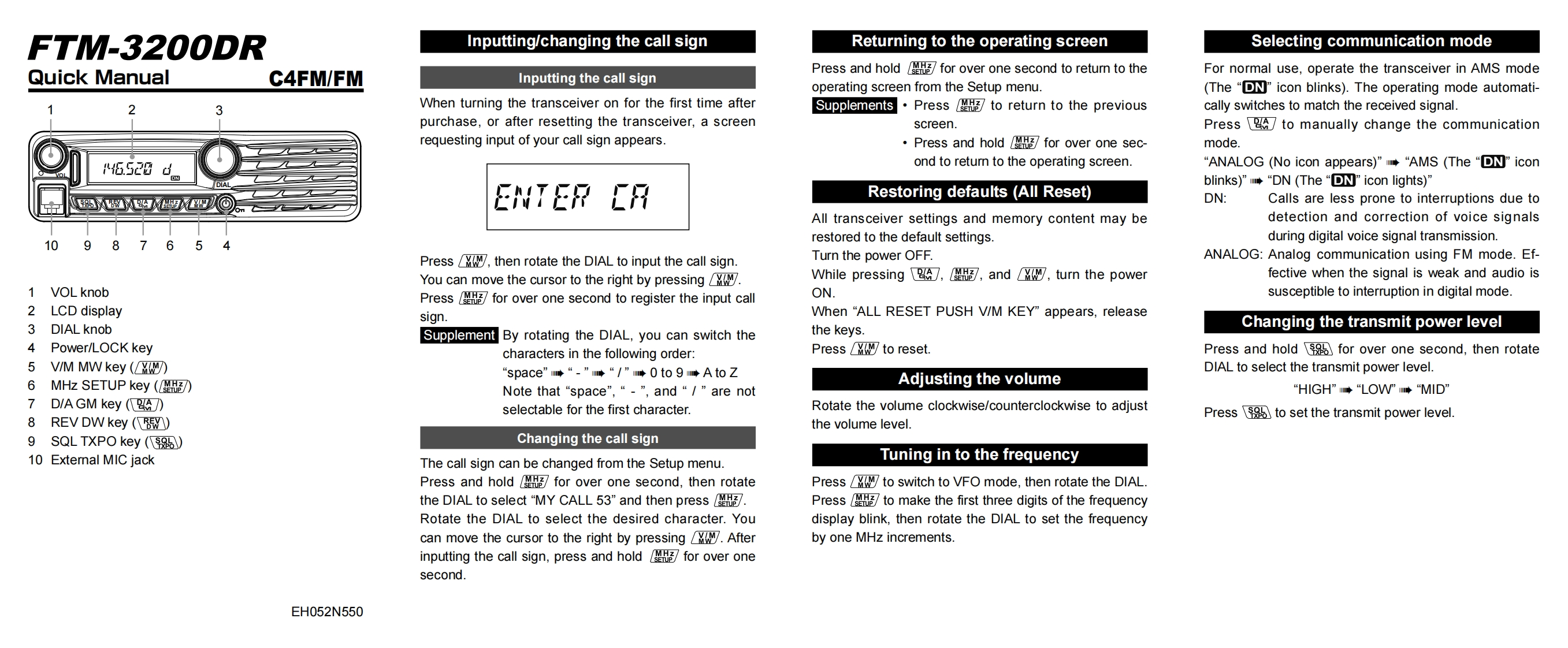
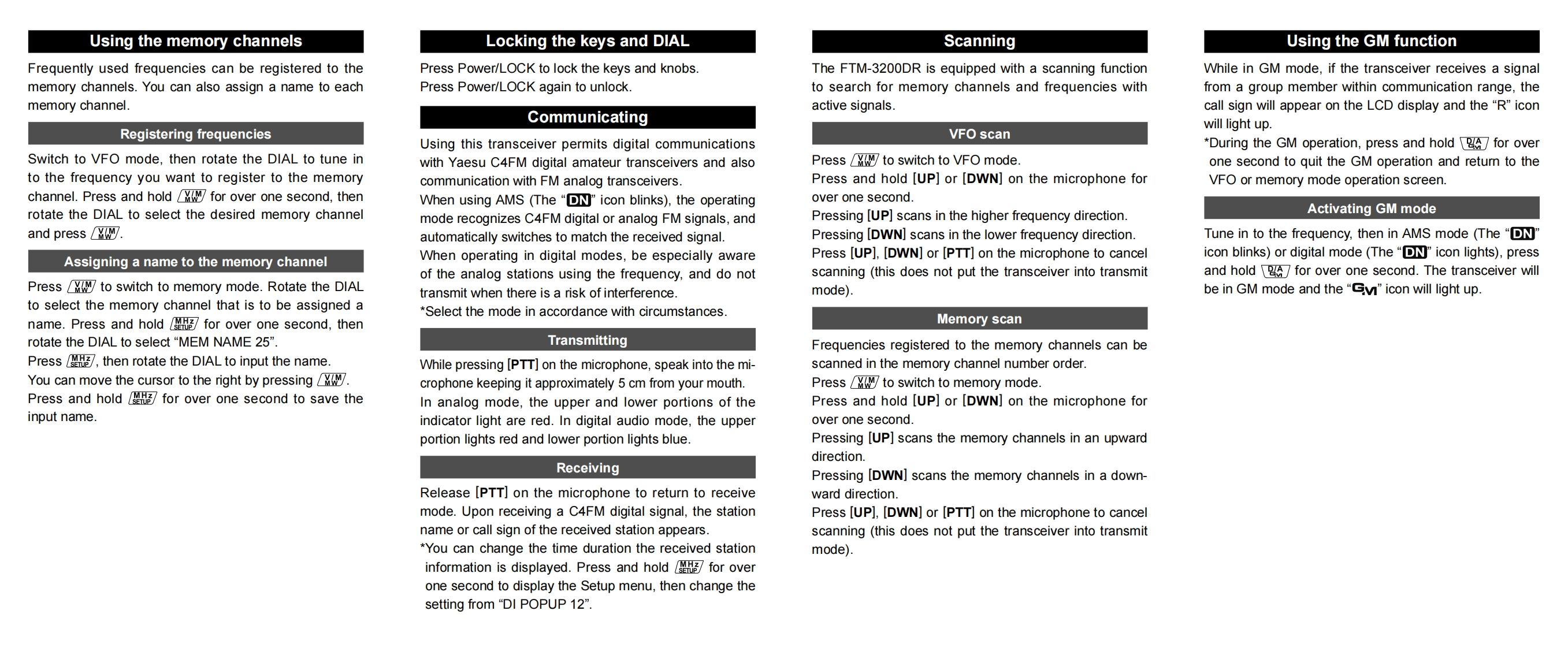
FTM-3200DRInputting/changing the call signReturning to the operating screenSelecting communication modeQuick ManualC4FM/FMPress and hold for over one second to retum to theFor normal use,operate the transceiver in AMS modeInputting the call signoperating screen from the Setup menu.(The "D"icon blinks).The operating mode automati-2When turning the transceiver on for the first time afterSupplements·Press图to return to the previouscally switches to match the received signal.purchase,or after resetting the transceiver,a screenscreen.Press to manually change the communicationrequesting input of your call sign appears·Press and hold图for over one sec-mode."6.52tond to retumn to the operating screen.“ANALOG(No icon appears)"m◆“AMS(The“DN”iconblinks)”mW“DN(The“DNicon lights)ENTER CRRestoring defaults (All Reset)DN:Calls are less prone to interruptions due toAll transceiver settings and memory content may bedetection and correction of voice signals10restored to the default settings.during digital voice signal transmission.Press then rotate the DIAL to input the call sign.Turn the power OFF.ANALOG:Analog communication using FM mode.Ef-You can move the cursor to the right by pressingWhile pressing,图,andy,turn the powerfective when the signal is weak and audio is1 VOL knobPress for over one second to register the input callON.susceptible to interruption in digital mode.2 LCD displaysign.When "ALL RESET PUSH V/M KEY appears,release3 DIAL knobSupplement By rotating the DIAL,you can switch thethe keys.Changing the transmit power level4 Power/LOCK keycharacters in the following order:Press /Mw to reset.Press and hold for over one second,then rotate5 V/M MW key (“space”m→“-”W“/”晴0to9m啡AtoZDIAL to select the transmit power level.6 MHz SETUP key (Adjusting the volumeNote that“space",“-",and“/"are not“HIGH”◆“LOW”m◆“MID7D/A GM key (selectable for the first character.Rotate the volume clockwise/counterclockwise to adjustPress to set the transmit power level.8 REV DW key (the volume level.9 SQL TXPO key (Changing the call sign10 Extemal MIC jackThe call sign can be changed from the Setup menu.Tuning in to the frequencyPress and hold for over one second,then rotatePress to switch to VFO mode,then rotate the DIALthe DIAL to select“MY CALL53”and then press图.Press to make the first three digits of the frequencyRotate the DIAL to select the desired character.Youdisplay blink,then rotate the DIAL to set the frequencycan move the cursor to the right by pressing Afterby one MHz increments.inputting the call sign,press and hold for over onesecond.EH052N550


请登录后查看评论内容