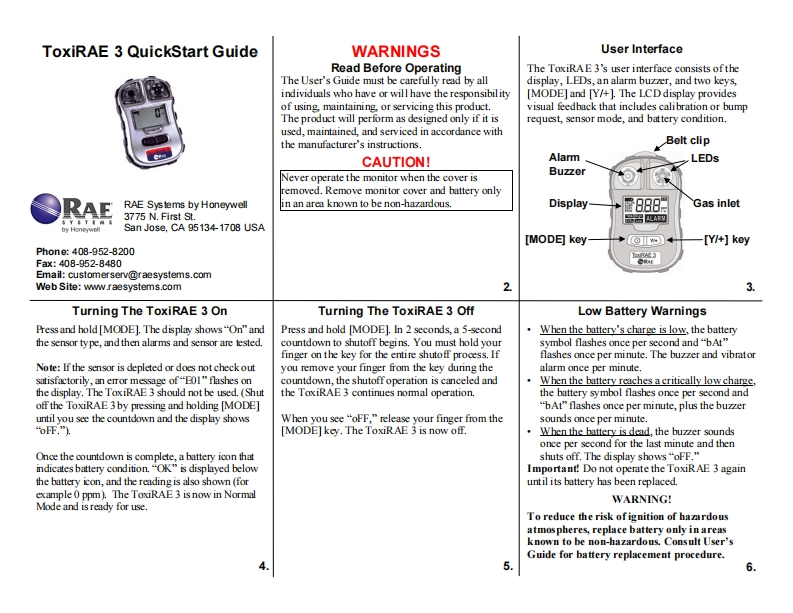
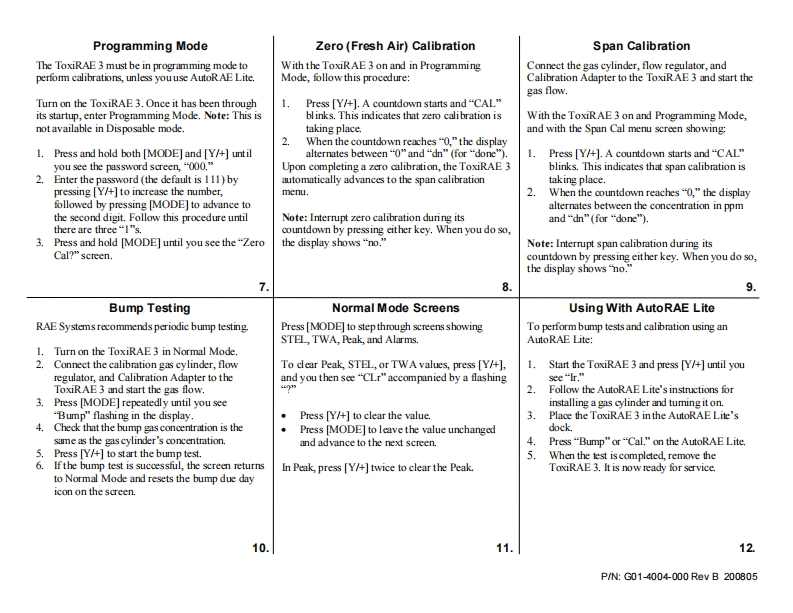
ToxiRAE 3 QuickStart GuideWARNINGSUser InterfaceRead Before OperatingThe ToxiRAE3's user interface consists oftheThe User's Guide must be carefully read by alldisplay,LEDs,an alarm buzzer,and two keys,individuals who have or will have the responsibil ity[MODE]and [Y/+].The LCD display providesof using,maintaining,or servicing this product.visual feedback that includes calibration or bumpThe product will perform as designed only if it isrequest,sensor mode,and battery condition.used,maintained,and serviced in accordance withthe manufacturer's instructions.Belt clipCAUTION!AlarmLEDsNever operate the monitor when the cover isBuzzerremoved.Remove monitor cover and battery onlyRAERAE Systems by Honeywellin an area known to be non-hazardous.Display量88BGas inlet3775 N.First St.品测by HoneywollSan Jose,CA 95134-1708 USA[MoD目key[Y/+]keyPhone:408-952-8200Fax:408-952-8480Email:customerserv@raesystems.comWeb Site:www.raesystems.com23Turning The ToxiRAE 3 OnTurning The ToxiRAE 3 OffLow Battery WarningsPress and hold [MODE].The display shows"On"andPress and hold [MODE].In 2 seconds,a 5-secondWhen the battery's charge is low,the batterythe sensor type,and then alarms and sensor are tested.countdown to shutoff begins.You must hold yoursymbol flashes once per second and "bAt"finger on the key for the entire shutoff process.Ifflashes once per minute.The buzzer and vibratorNote:If the sensor is depleted or does not check outyou remove your finger from the key during thealarm once per minute.satisfactorily,an error message of"E01"flashes oncountdown,the shutoffoperation is canceled andWhen the battery reaches a critically low charge,the display.The ToxiRAE 3 should not be used.(Shutthe ToxiRAE 3 continues nommal operation.the battery symbol flashes once per second andoff the ToxiRAE 3by pressing and holding [MODE]"bAt"flashes once per minute,plus the buzzeruntil you see the countdown and the display showsWhen you see "oFF,"release your finger from thesounds once per minute.oFF.").[MODE]key.The ToxiRAE 3 is now off.When the hattery is dead,the buzzer soundsonce per second for the last minute and thenOnce the countdown is complete,a battery icon thatshuts off.The display shows "oFF."indicates battery condition."OK"is displayed belowImportant!Do not operate the ToxiRAE 3 againthe battery icon,and the reading is also shown (foruntil its battery has been replaced.example 0 ppm).The ToxiRAE3 is now in NormalWARNING!Mode and is ready for use.To reduce the risk ofignition of hazardousatmos pheres,replace battery only inareasknown to be non-hazardous.Consult User'sGuide for battery replacement procedure.4.56.


请登录后查看评论内容