
第1页 / 共20页
第2页 / 共20页
试读已结束,还剩18页,您可下载完整版后进行离线阅读
THE END
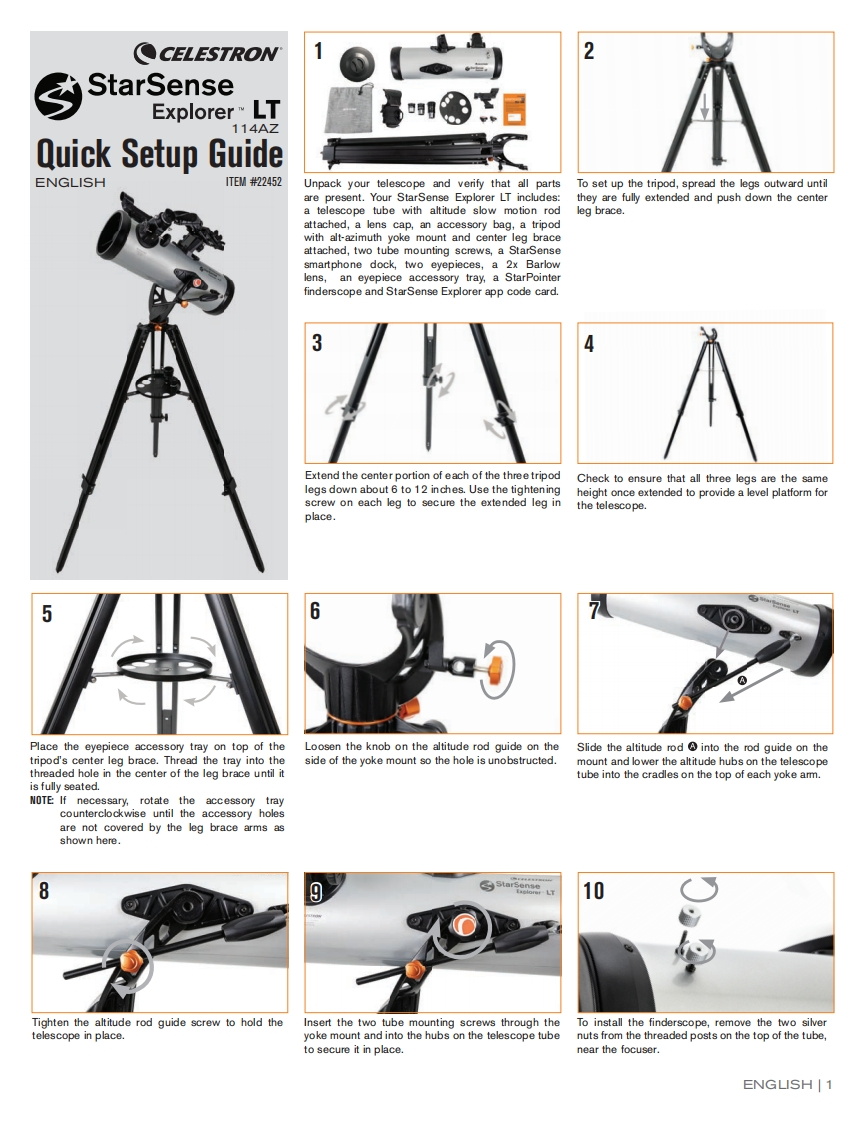
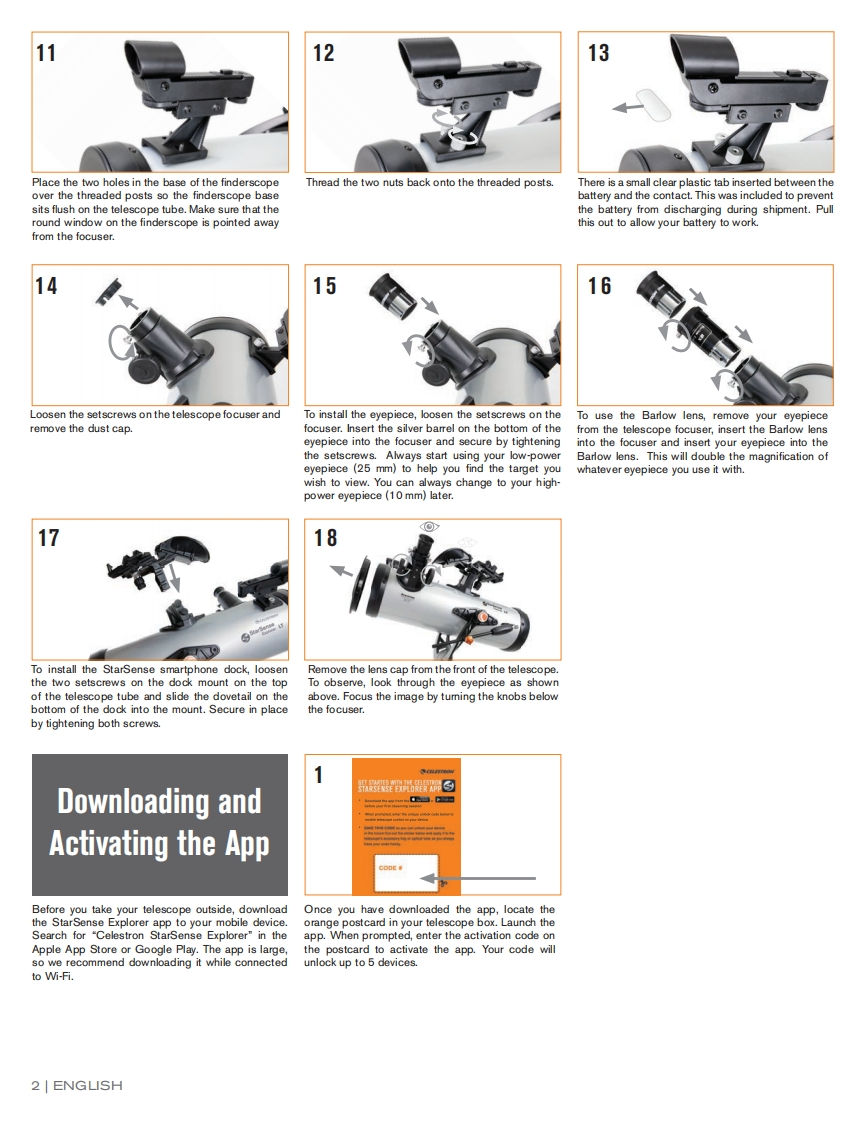
CELESTRON2StarSenseExplorer LT114AZQuick SetupGuideENGLISH1TE/#22452Unpack your telescope and verify that all partsTo set up the tripod,spread the legs outward untilare present.Your StarSense Explorer LT includes:they are fully extended and push down the centera telescope tube with altitude slow motion rodleg brace.attached,a lens cap,an accessory bag,a tripodwith alt-azimuth yoke mount and center leg braceattached,two tube mounting screws,a StarSensesmartphone dock,two eyepieces,a 2x Barlowlens,an eyepiece accessory tray,a StarPointerfinderscope and StarSense Explorer app code card.3Extend the center portion of each of the three tripodCheck to ensure that all three legs are the samelegs down about 6 to 12 inches.Use the tighteningheight once extended to provide a level platform forscrew on each leg to secure the extended leg inthe telescope.place56Place the eyepiece accessory tray on top of theLoosen the knob on the altitude rod guide on theSlide the altitude rod into the rod guide on thetripod's center leg brace.Thread the tray into theside of the yoke mount so the hole is unobstructed.mount and lower the altitude hubs on the telescopethreaded hole in the center of the leg brace until ittube into the cradles on the top of each yoke amm.is fully seated.NOTE:If necessary,rotate the accessory traycounterclockwise until the accessory holesare not covered by the leg brace arms asshown here.8910Tighten the altitude rod guide screw to hold theInsert the two tube mounting screws through theTo install the finderscope,remove the two silvertelescope in place.yoke mount and into the hubs on the telescope tubenuts from the threaded posts on the top of the tube,to secure it in place.near the focuser.ENGUSH1


请登录后查看评论内容