
第1页 / 共5页
第2页 / 共5页
试读已结束,还剩3页,您可下载完整版后进行离线阅读
THE END
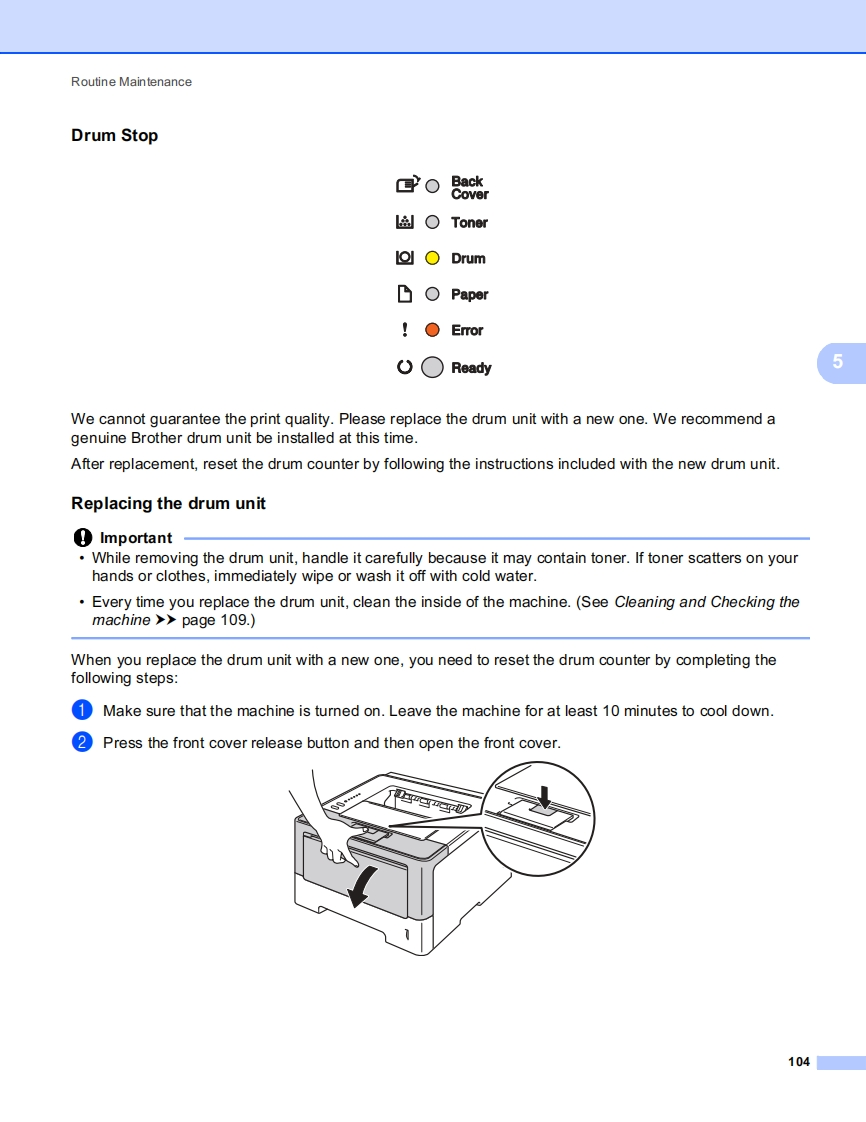
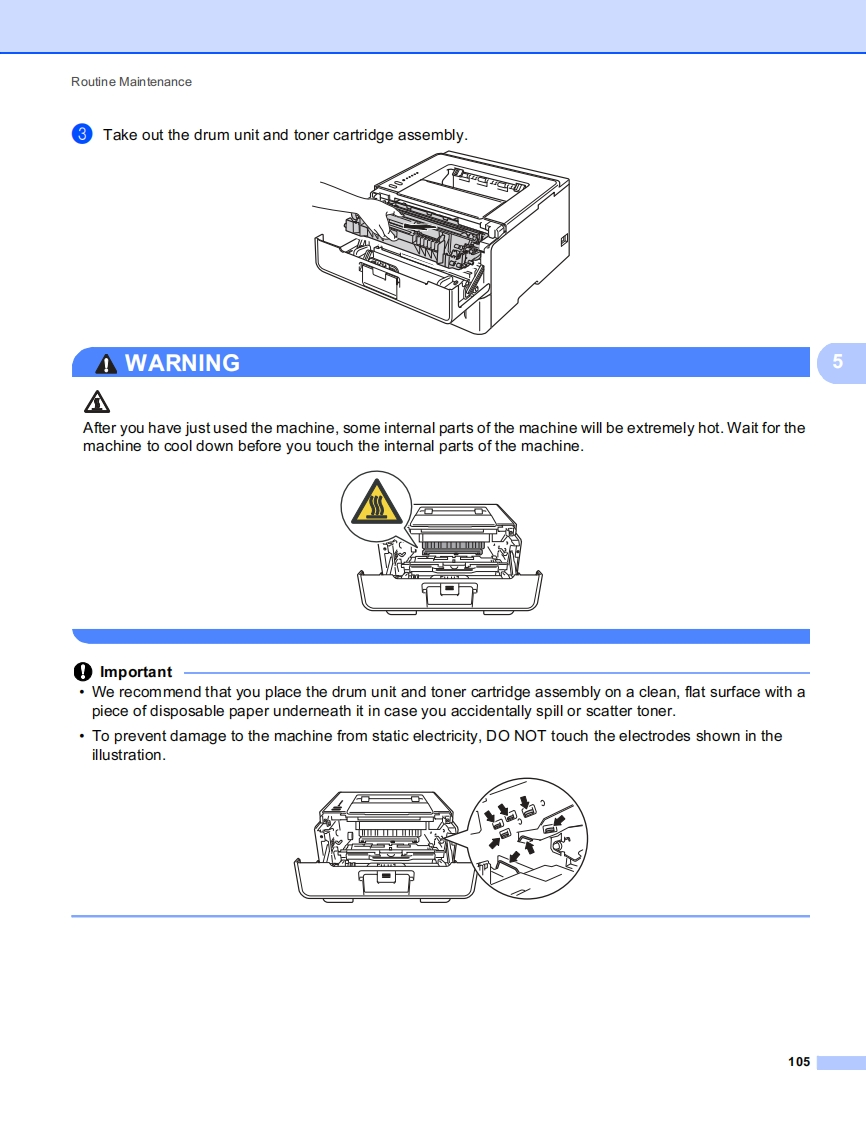
Routine MaintenanceDrum StopCoBackCover幽OToneroODrumDPaper!OErrorO○Ready5We cannot guarantee the print quality.Please replace the drum unit with a new one.We recommend agenuine Brother drum unit be installed at this time.After replacement,reset the drum counter by following the instructions included with the new drum unit.Replacing the drum unitImportant-While removing the drum unit,handle it carefully because it may contain toner.If toner scatters on yourhands or clothes,immediately wipe or wash it off with cold water.Every time you replace the drum unit,clean the inside of the machine.(See Cleaning and Checking themachine >page 109.)When you replace the drum unit with a new one,you need to reset the drum counter by completing thefollowing steps:0Make sure that the machine is turned on.Leave the machine for at least 10 minutes to cool down.2Press the front cover release button and then open the front cover.104


请登录后查看评论内容