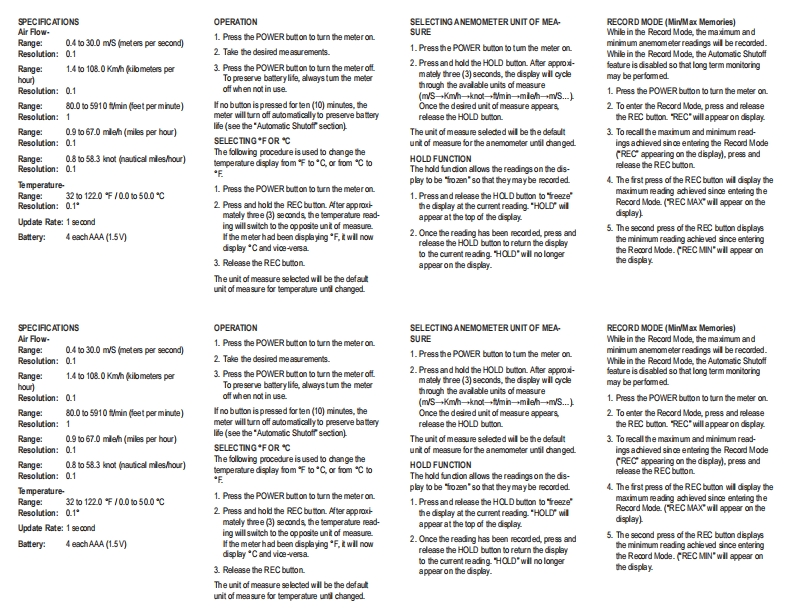
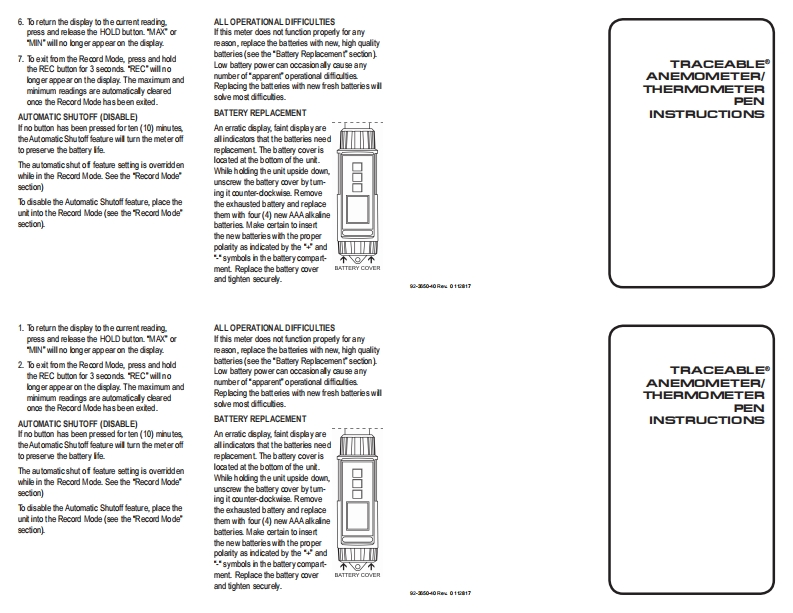
SPECIFICATIONSOPERATIONSELECTING ANEMOMETER UNIT OF MEA-RECORD MODE (Min/Max Memories)Air Flow-Range:0.4 to 30.0 m/S (meters per second)1.Press the POWER buton to turn the meter on.SUREWhile in the Record Mode the maximum and1.Press the POWER bucon to tum the meter onminimum anemometer readings will be recorded.Resolution:0.12 Take the desired measurements.While in the Record Mode,the Automanic ShutoffRange:1.4 to 108.0 Kmh (kilometers per3.Press the POWER button to burn the meteroff2.Press and hold the HOLD bution.After approxi-feature is disabled so that long term monitoringhou)To preserve batterylife,always tumn the meterm尚ree(周seam,the display wll cycmay be pertormedoff when not in usethrough the avalable units of measureResolution:0.1(m/s-Kmh-kndt→thmh→mlah-→m/s-)1.Press the POWER bucon to turn the meter onRange:80.0 to 5910 f/min (deet per mnute)If no bucon is pressed for ten (10)minutes,theOnce the desired unit of measure appears2.To enter the Record Mode,press and releaseResolution:1meter will tum off automancally to preserve batery【elease the HOLD bu0amthe REC bution.REC"will appear on dsplayRange:0.9 to 67.0 mileh (miles per hour)lte(see the"Auomaic Shuotf secion)The unit of measure seledted wil be the default3.To recall the maximum and minimum read-Resolution:0.1SELECTINGFOR℃unit of measure for the anemometer unol dhangedings adhieved since entering the Record ModeRange:08 to 58.3 knot (nauical mles/hour)The following procedure isused to dhange theREC appearing on the display).press andResolution:0.1emperaure display fom℉o“C.or fom℃oHOLD FUNCTIONThe hold fundion allows the readingson the ds-elease the REC buconTe mperature.play to be 'fozen"so that theymaybe recorded.4.The frst press of the REC buton will disolay the1.Press the POWER button to turn the meter onRange:3201220℉/0.0050.0℃1.Press and release the HOLD bution to'reeze"maximum reading achieved since entering theResolution:0.1*2 Press and hold the REC bution.After approxithe display at the current reading."HOLD willRecord Mode (REC MAX"will appear on themately three (3)seconds the temperaure read-Update Rate:1 secondappear at the top of the displaydisdlayling will switch to the op posite unt of measure.2.Once the reading has been recorded,press and5.The second press of the REC buton displaysBattery:4 eachAAA (1.5V)I the meterhad been displaying 'F.t will nowthe minimum reading achieved since enteringdp间“C and vice-versa【elease the HOLD bu0amo【eoum the displato the curent reading.HOLD"will no longerthe Record Mode.(REC MIN"will appear on3.Release the REC buton.appearon the display.he dsp白yThe unit of measure selected will be the defautunit of measure for temperaure und changed.SPECIRICATIONSOPERATIONSELECTING ANEMOMETER UNIT OF MEARECORD MODE (Min/Max Memories)A月Ow-1.Press the POWER button to turn the meteronSUREWhile in the Record Mode,the maximum andRange:0.4 to 30.0 m/S (meters per second)1.Press the POWER bumon to tum the meter onminimum anemometer readings wil be recorded.R


请登录后查看评论内容