
第1页 / 共8页
第2页 / 共8页
试读已结束,还剩6页,您可下载完整版后进行离线阅读
THE END
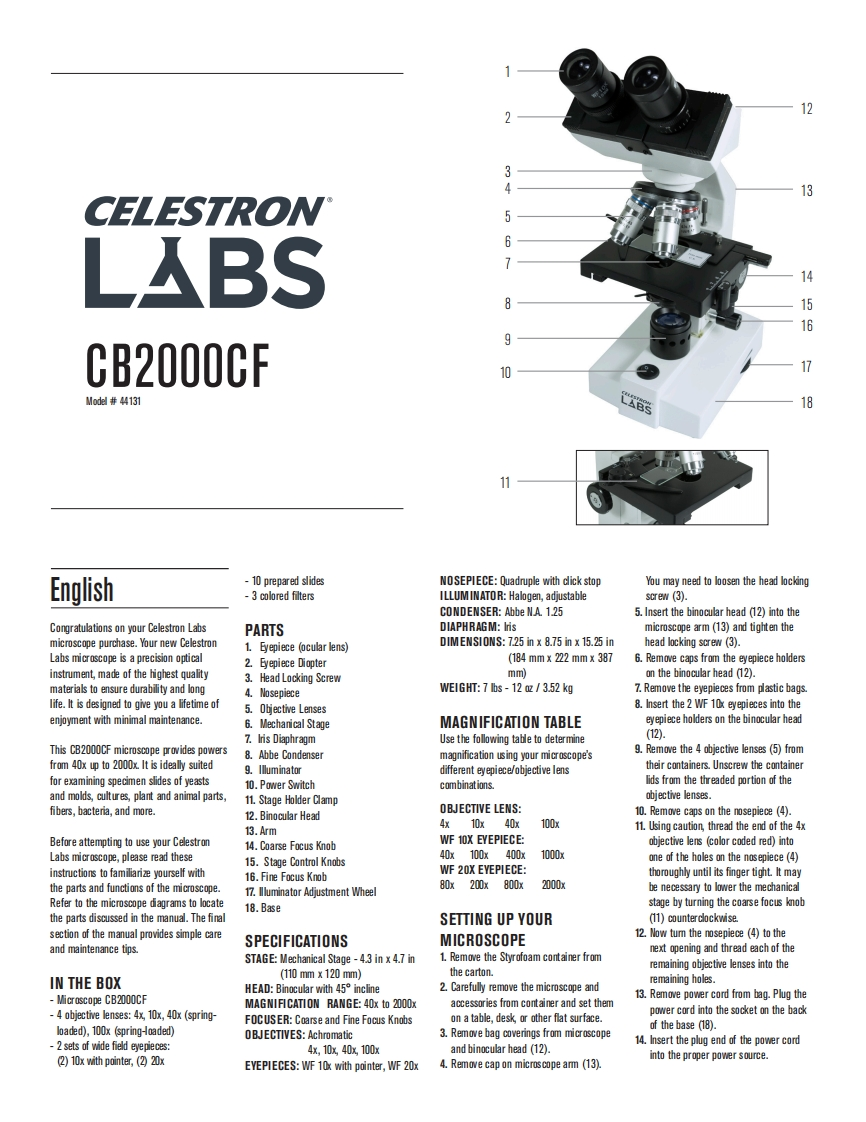
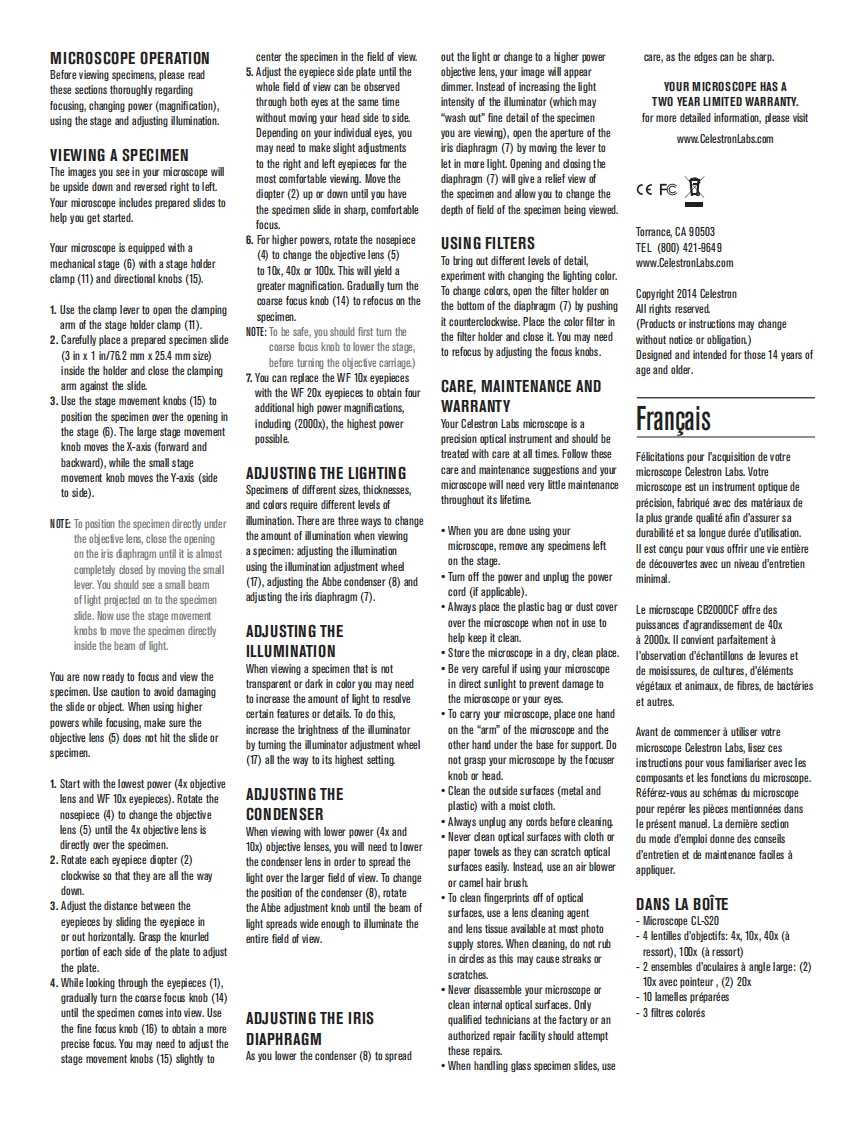
CELESTRONLABS1516CB2000CFMod#44131LABS11English-10 prepared slidesNOSEPIECE:Quadruple with click stopYou may need to loosen the head locking-3 colored filtersILLUMINATOR:Halogen,adjustablescrew (3).CONDENSER:Abbe NA.1.255.Insert the binocular head (12)into theCongratulationson your Celestron LabsPARTSDIAPHRAGM:Irismicroscope arm(13)and tighten themicroscope purchase.Your new Celestron1.Eyepiece (ocular lens)DIMENSIONS:7.25 in x 8.75 in x 15.25 inhead locking screw(3).Labs microscope is a precision optical2.Eyepiece Diopter(184mmx222mmx3876.Remove caps from the eyepiece holdersinstrment,made of the highest quality3.Head Locking Screwmm间on the binocular head (12).materials to ensure durability and long4.NosepieceWEIGHT:7 lbs -12 oz /3.52 kg7.Remove the eyepieces from plastic bags.life.It is designed to give you a lifetime of5.Objective Lenses8.Insert the 2WF10x eyepieces into theenjoyment with minimal maintenance.6.Mechanical StageMAGNIFICATION TABLEeyepiece holders on the binocular head7.lris DiaphragmUse the follwing tableto determine(12).This CB2000CF microscope provides powers8.Abbe Condensermagifiction using your micrscope's9.Remove the 4 objective lenses (5)fromfrom 40x up to 2000x.It is ideally suited9.Illuminatordifferent eyepiece/objective lenstheir containers.Unscrew the containerfor examining specimen slides of yeasts10.Power Switchcombinations.lids from the threaded portion of theand molds,cultures,plant and animal parts,11.Stage Holder Clampobjective lenses.fibers,bacteria,and more.OBJECTIVE LENS:12.Binocular Head10.Remove caps on the nosepiece (4)13.Arm4x10x40x100x11.Using caution,thread the end of the 4xBefore attempting to use your Celestron14.Coarse Focus KnobWF 10X EYEPIECE:objective lens (color coded red)intoLabs microscope,please read these40x100x400x1000x15.Stage Control Knobsone of the holes on the nosepiece(4)instructions to familiarize yourself withWF 20X EYEPIECE:16.Fine Focus Knobthoroughly until its finger tight It maythe parts and functions of the microscope.80x200x800x2000X17.llluminator Adjustment Wheelbe necessary to lower the mechanicalRefer to the microscope diagrams to locate18.Basestage by turning the coarse focus knobthe parts discussed in the manual.The finalSETTING UP YOUR(11)counterclockwise.section of the manual provides simple careSPECIFICATIONSMICROSCOPE12.Now tum the nosepiece (4)to theand maintenance tips.next opening and thread each of theSTAGE:Mechanical Stage-4.3 in x 4.7 in1.Remove the Styrofoam container fromremaining objective lenses into the(110mmx120mm)the carton.IN THE BOXremaining holes.HEAD:Binocular with 45 incline2.Carefully remove the microscope andMicrascope CB2000CF13.Remove power cord from bag.Plug theMAGNIFICATION RANGE:40x to 2000xaccessories from container and set them-4 objective lenses:4x,10x,40x (spring-power cord into the socket on the backFOCUSER:Coarse and Fine Focus Knobson a table,desk,or other flat surface.loaded),100x (spring-oaded)of the base (18).0BJECTIVES:Achromatic3.Remo


请登录后查看评论内容