
第1页 / 共2页
试读已结束,还剩1页,您可下载完整版后进行离线阅读
THE END
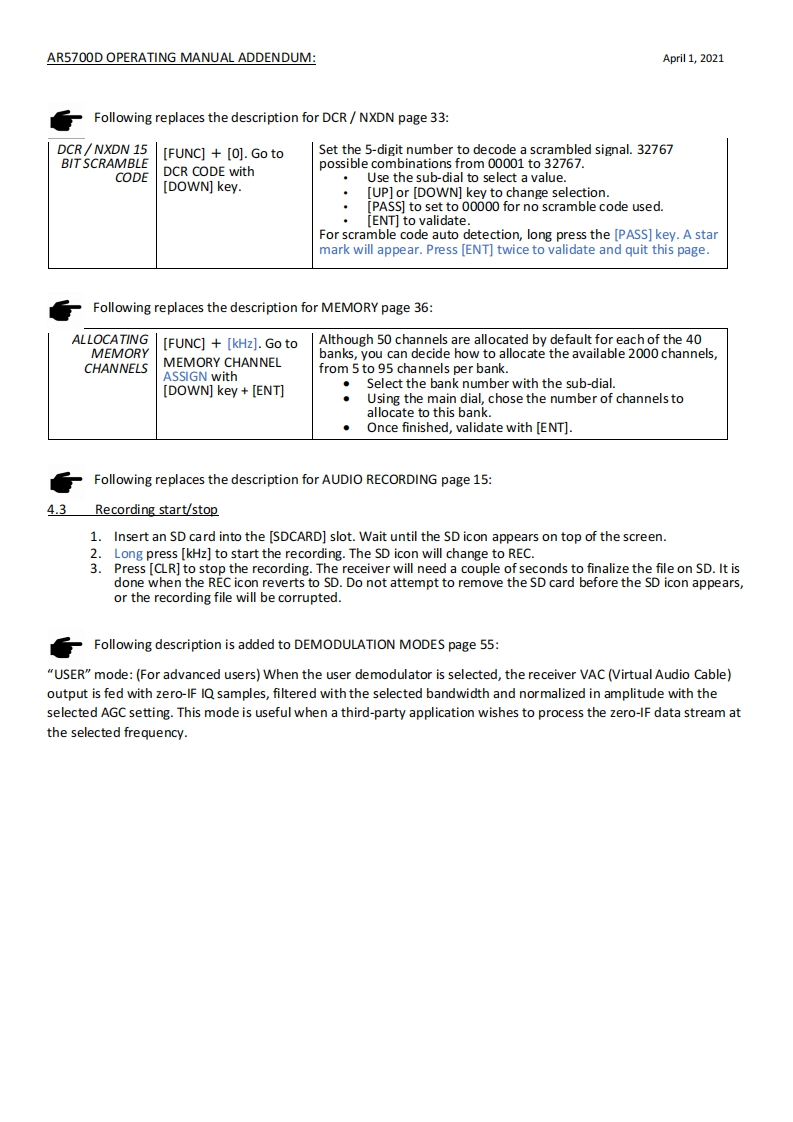
AR5700D OPERATING MANUAL ADDENDUM:April 1,2021Following replaces the description for DCR NXDN page 33:DCR NXDN 15[FUNC]+[0].Go toSet the 5-digit number to decode a scrambled signal.32767BIT SCRAMBLEpossible combinations from 00001 to 32767.CODEDCR CODE withUse the sub-dial to select a value.[DOWN]key.[UP]or [DOWN]key to change selection[PASS]to set to 00000 for no scramble code used.[ENT]to validate.For scramble code auto detection,long press the [PASS]key.A starmark will appear.Press [ENT]twice to validate and quit this page.Following replaces the description for MEMORY page 36:ALLOCATING[FUNC][kHz].Go toAlthough 50 channels are allocated by default for each of the 40MEMORYCHANNELSMEMORY CHANNELbanks,you can decide how to allocate the available 2000 channels,ASSIGN withfrom 5 to 95 channels per bank.DOWN]key [ENT]Select the bank number with the sub-dial.Using the main dial,chose the number of channels toallocate to this bank.Once finished,validate with [ENT].Following replaces the description for AUDIO RECORDING page 15:4.3Recording start/stop1.Insert an SD card into the [SDCARD]slot.Wait until the SD icon appears on top of the screen.2.Long press [kHz]to start the recording.The SD icon will change to REC.3.Press [CLR]to stop the recording.The receiver will need a couple of seconds to finalize the file on SD.It isdone when the REC icon reverts to SD.Do not attempt to remove the SD card before the SD icon appears,or the recording file will be corrupted.Following description is added to DEMODULATION MODES page 55:"USER"mode:(For advanced users)When the user demodulator is selected,the receiver VAC(Virtual Audio Cable)output is fed with zero-IF IQ samples,filtered with the selected bandwidth and normalized in amplitude with theselected AGC setting.This mode is useful when a third-party application wishes to process the zero-IF data stream atthe selected frequency.


请登录后查看评论内容