
第1页 / 共143页
试读已结束,还剩142页,您可下载完整版后进行离线阅读
THE END
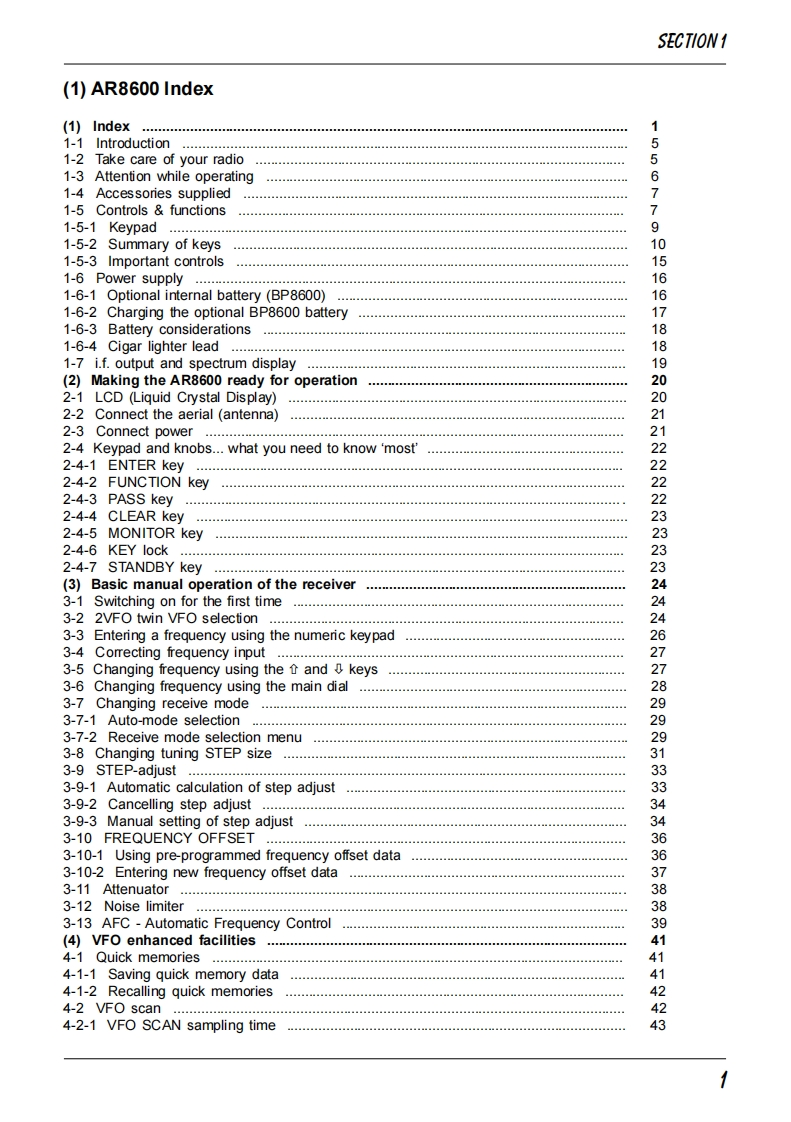
SECTION1(1)AR8600 Index(1)Index1-1 Introduction51-2 Take care of your radio51-3 Attention while operating61-4 Accessories supplied71-5 Controls functions1-5-1 Keypad91-5-2 Summary of keys101-5-3 Important controls151-6 Power supply.…161-6-1 Optional internal battery (BP8600)161-6-2 Charging the optional BP8600 battery171-6-3 Battery considerationswwwaamaaaaamamaaamamaammam181-6-4 Cigar lighter lead181-7 i.f.output and spectrum display19(2)Making the AR8600 ready for operation444444*202-1 LCD (Liquid Crystal Display)202-2 Connect the aerial (antenna)212-3 Connect power212-4 Keypad and knobs...what you need to know 'most'222-4-1 ENTER key222-4-2 FUNCTION key222-4-3 PASS key222-4-4 CLEAR keywaw..amcmma..m.ma.m.ama...aa.....a.....am.aa..m232-4-5 MONITOR key232-4-6 KEY lock232-4-7 STANDBY key023(3)Basic manual operation of the receiver243-1Switching on for the first time140243-22VFO twin VFO selection243-3 Entering a frequency using the numeric keypad263-4Comecting frequency input273-5 Changing frequency using the and keys73-6 Changing frequency using the main dial283-7 Changing receive mode4423-7-1 Auto-mode selection.293-7-2 Receive mode selection menu293-8 Changing tuning STEP size313-9 STEP-adjust333-9-1 Automatic calculation of step adjust333-9-2 Cancelling step adjust343-9-3 Manual setting of step adjust343-10 FREQUENCY OFFSET.363-10-1 Using pre-programmed frequency offset data363-10-2 Entering new frequency offset data373-11 Attenuator.383-12 Noise limiter383-13 AFC-Automatic Frequency Control39(4)VFO enhanced facilities414-1 Quick memories414-1-1 Saving quick memory data414-1-2 Recalling quick memories424-2Vf0scan…424-2-1 VFO SCAN sampling time43


请登录后查看评论内容