
第1页 / 共4页
试读已结束,还剩3页,您可下载完整版后进行离线阅读
THE END
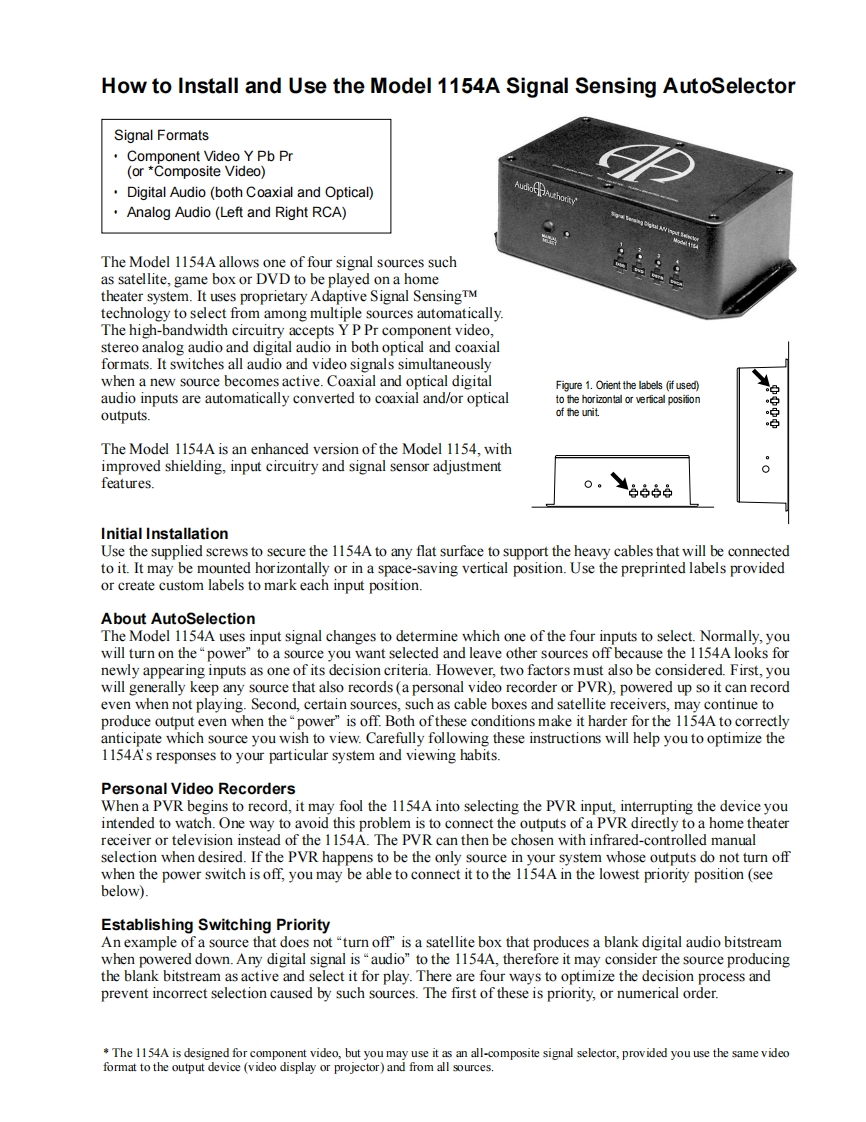
How to Install and Use the Model 1154A Signal Sensing AutoSelectorSignal FormatsComponent Video Y Pb Pr(or *Composite Video)Digital Audio (both Coaxial and Optical)Analog Audio (Left and Right RCA)The Model 1154A allows one of four signal sources suchas satellite,game box or DVD to be played on a hometheater system.It uses proprietary Adaptive Signal SensingTMtechnology to select from among multiple sources automatically.The high-bandwidth circuitry accepts Y P Pr component video,stereo analog audio and digital audio in both optical and coaxialformats.It switches all audio and video signals simultaneouslywhen a new source becomes active.Coaxial and optical digitalFigure 1.Orient the labels (if used)audio inputs are automatically converted to coaxial and/or opticalto the horizontal or verfical posifionoutputs.of the unit.The Model 1154A is an enhanced version of the Model 1154,withimproved shielding,input circuitry and signal sensor adjustment0features.Initial InstallationUse the supplied screws to secure the 1154A to any flat surface to support the heavy cables that will be connectedto it.It may be mounted horizontally or in a space-saving vertical position.Use the preprinted labels providedor create custom labels to mark each input position.About AutoSelectionThe Model 1154A uses input signal changes to determine which one of the four inputs to select.Normally,youwill turn on the "power"to a source you want selected and leave other sources off because the 1154A looks fornewly appearing inputs as one of its decision criteria.However,two factors must also be considered.First,youwill generally keep any source that also records (a personal video recorder or PVR),powered up so it can recordeven when not playing.Second,certain sources,such as cable boxes and satellite receivers,may continue toproduce output even when the "power"is off.Both of these conditions make it harder for the 1154A to correctlyanticipate which source you wish to view.Carefully following these instructions will help you to optimize the1154A's responses to your particular system and viewing habits.Personal Video RecordersWhen a PVR begins to record,it may fool the 1154A into selecting the PVR input,interrupting the device youintended to watch.One way to avoid this problem is to connect the outputs of a PVR directly to a home theaterreceiver or television instead of the 1154A.The PVR can then be chosen with infrared-controlled manualselection when desired.If the PVR happens to be the only source in your system whose outputs do not turn offwhen the power switch is off,you may be able to connect it to the 1154A in the lowest priority position (seebelow).Establishing Switching PriorityAn example of a source that does not "turn off"is a satellite box that produces a blank digital audio bitstreamwhen powered down.Any digital signal is"audio"to the 1154A,therefore it may consider the source producingthe blank bitstream as active and select it for play.There are four ways to optimize the


请登录后查看评论内容