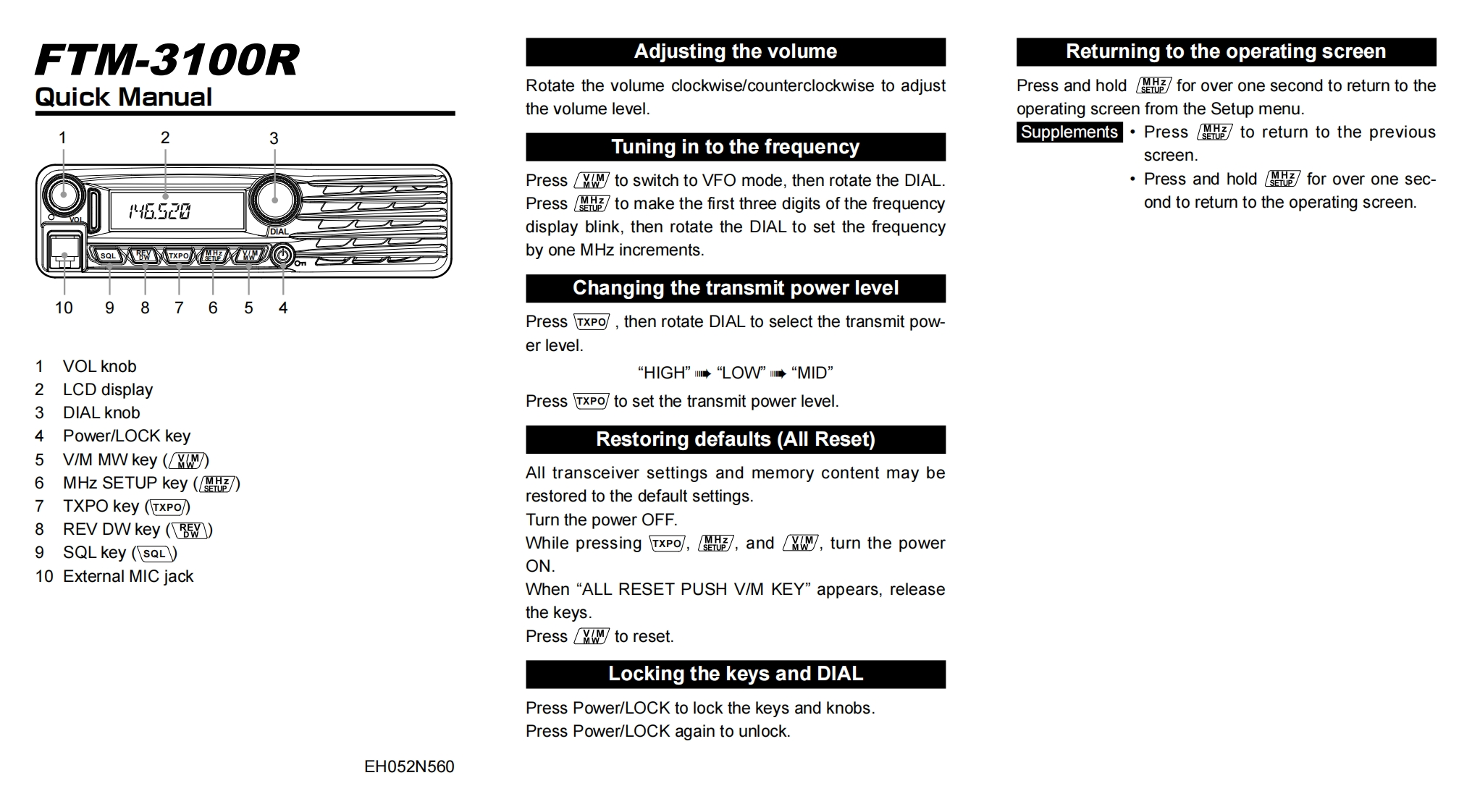
FTM-3100RAdjusting the volumeReturning to the operating screenQuick ManualRotate the volume clockwise/counterclockwise to adjustPress and hold for over one second to return to thethe volume level.operating screen from the Setup menu.3Supplements.Press to return to the previousTuning in to the frequencyscreen.Press to switch to VFO mode,then rotate the DIALPress and hold for over one sec-6.S20Press to make the first three digits of the frequencyond to return to the operating screen.display blink,then rotate the DIAL to set the frequencyby one MHz increments.Changing the transmit power level1098765Press TxPo/,then rotate DIAL to select the transmit pow-er level.1 VOL knob“HIGH”m◆“LOW”◆“MID”2 LCD display3 DIAL knobPress TxPo/to set the transmit power level4 Power/LOCK keyRestoring defaults(All Reset)5 V/M MW key (6 MHz SETUP key(图)All transceiver settings and memory content may be7 TXPO key(xP可)restored to the default settings.8 REV DW key (Turn the power OFF.9 SQL key (SaL)While pressing TxP可,3,andM,turn the power10 External MIC jackON.When "ALL RESET PUSH V/M KEY"appears,releasethe keys.Press w to resetLocking the keys and DIALPress Power/LOCK to lock the keys and knobs.Press Power/LOCK again to unlock.EH052N560



请登录后查看评论内容