
第1页 / 共27页
第2页 / 共27页
第3页 / 共27页
第4页 / 共27页
第5页 / 共27页
第6页 / 共27页
第7页 / 共27页
第8页 / 共27页
第9页 / 共27页
第10页 / 共27页
试读已结束,还剩17页,您可下载完整版后进行离线阅读
THE END
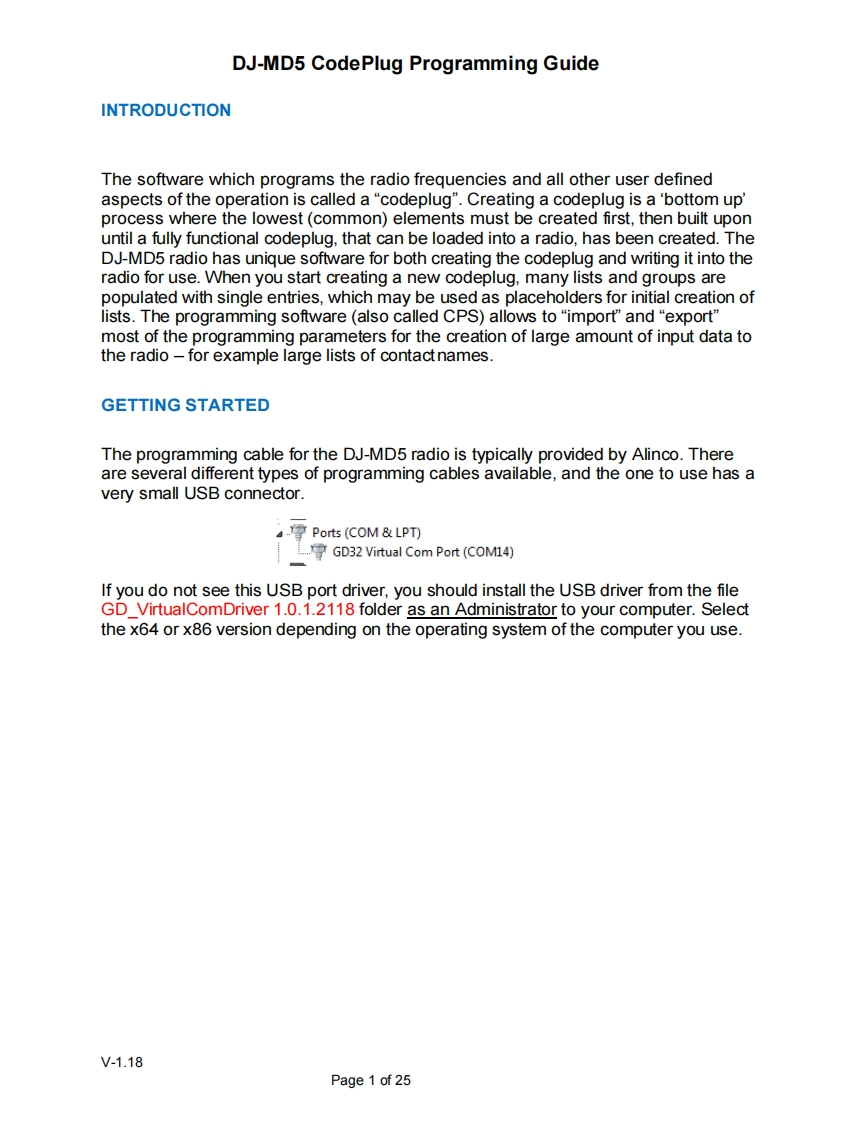
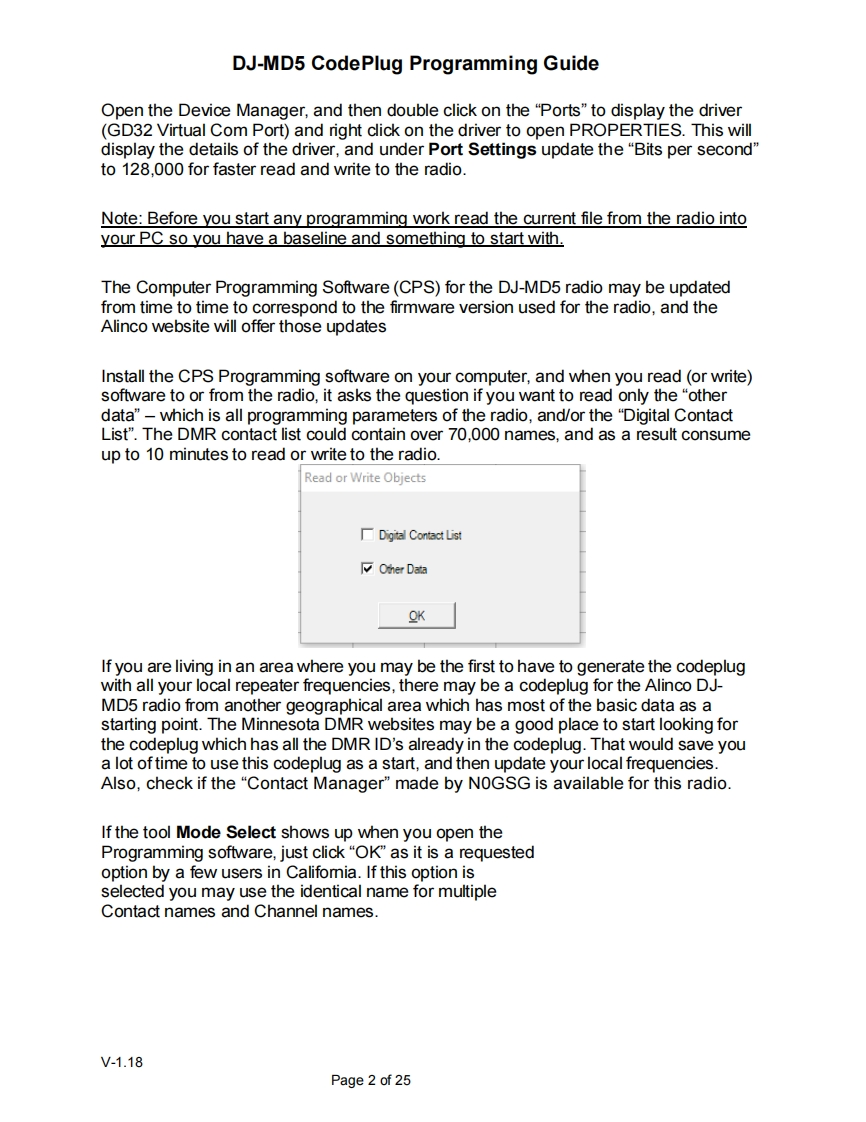
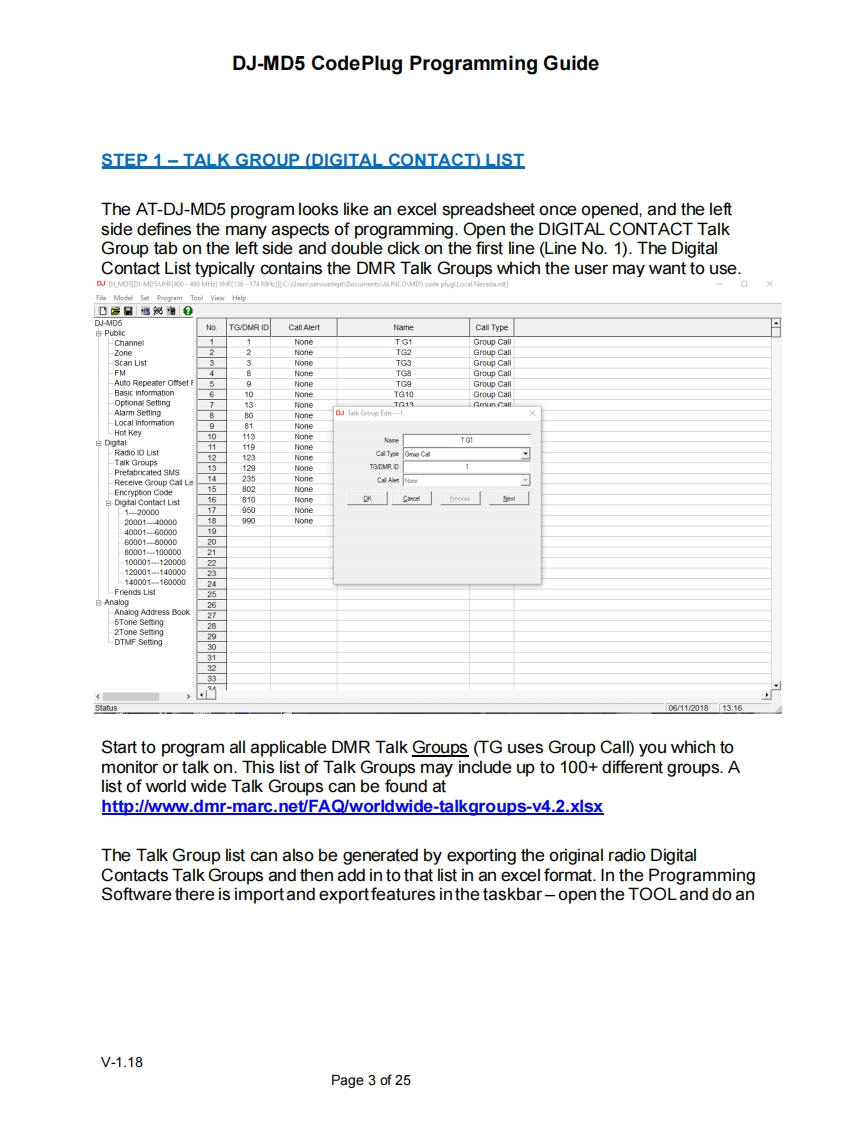
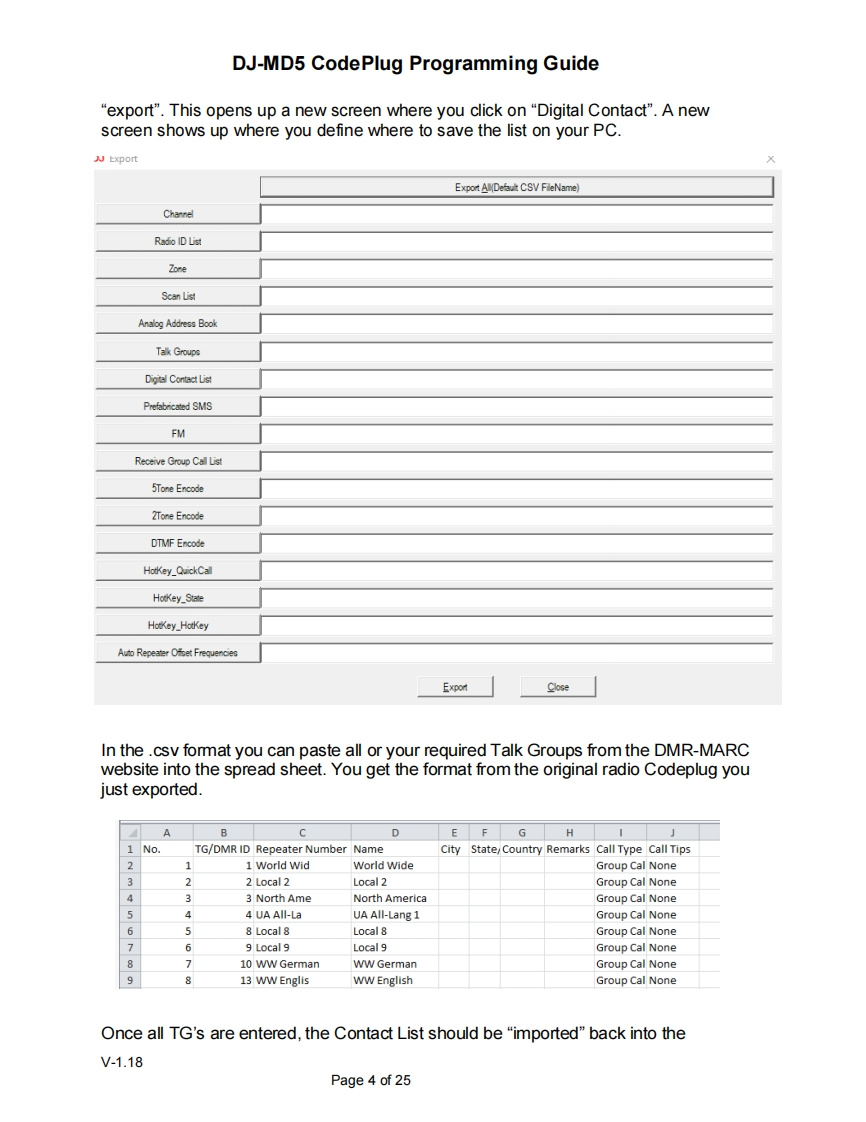
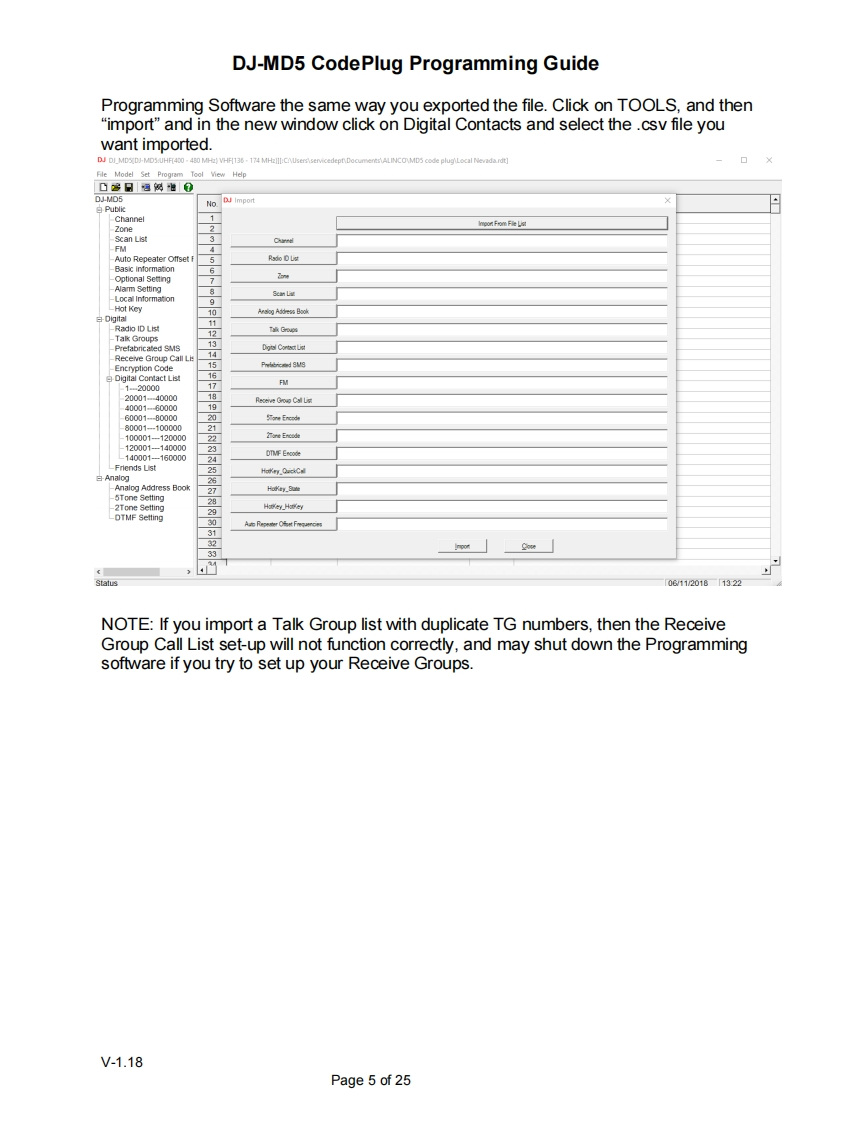
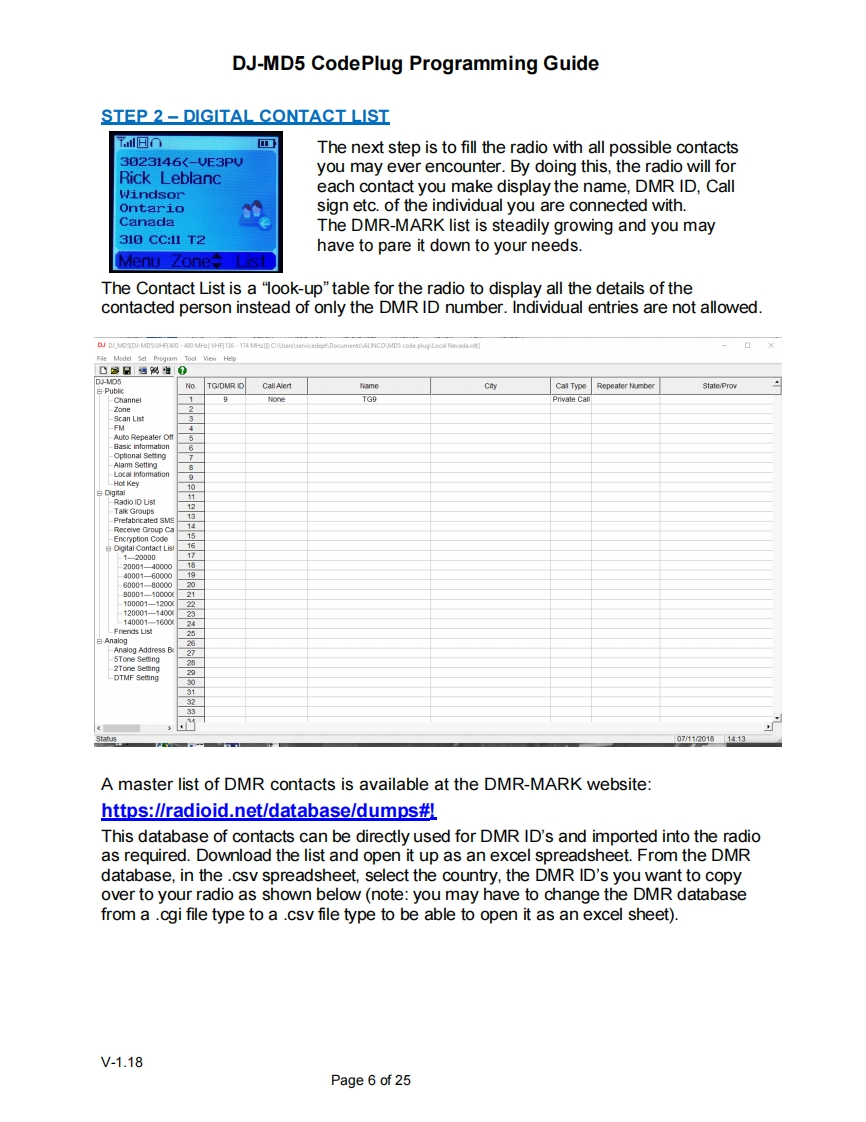
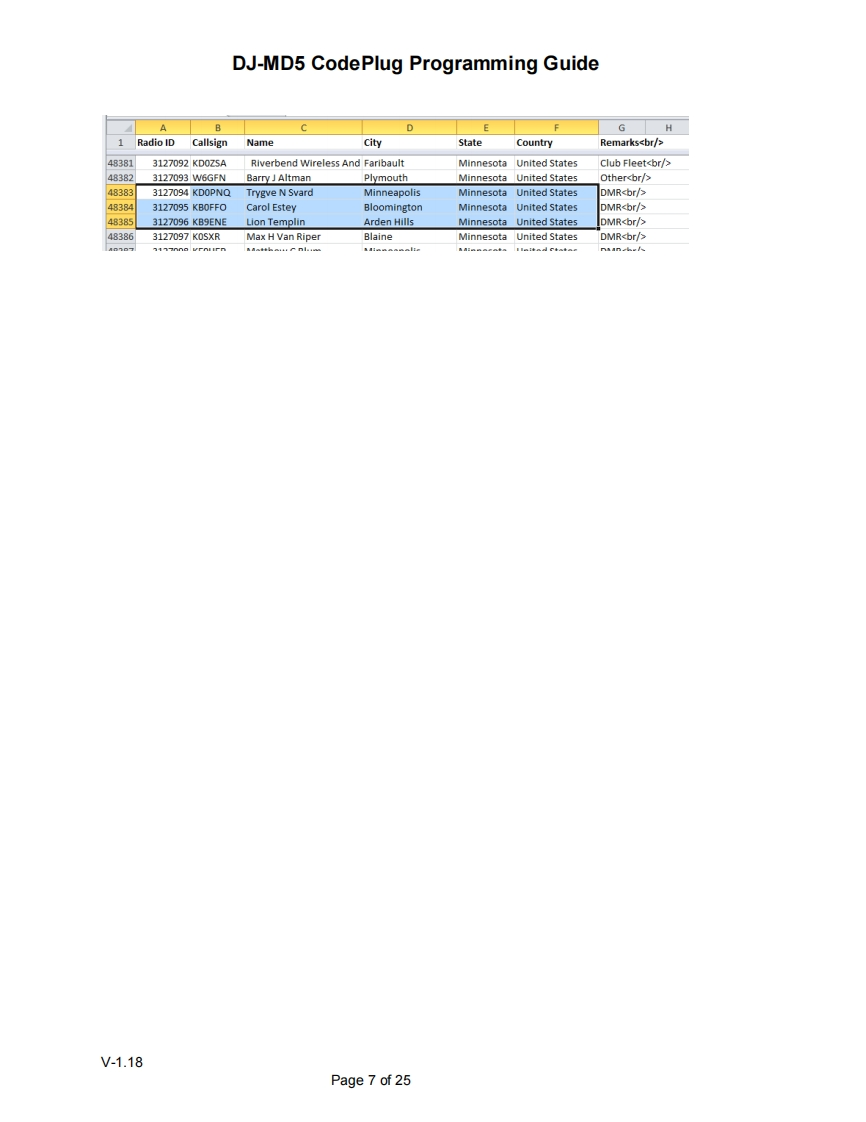
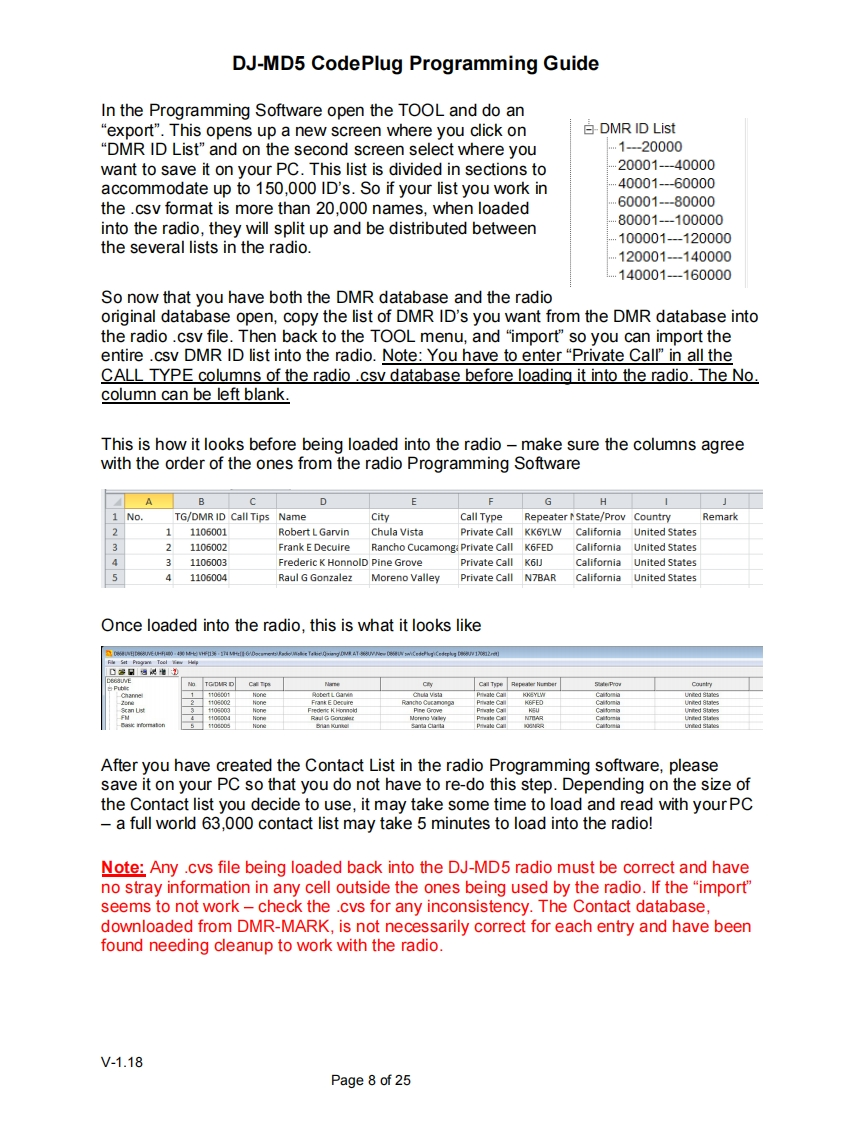
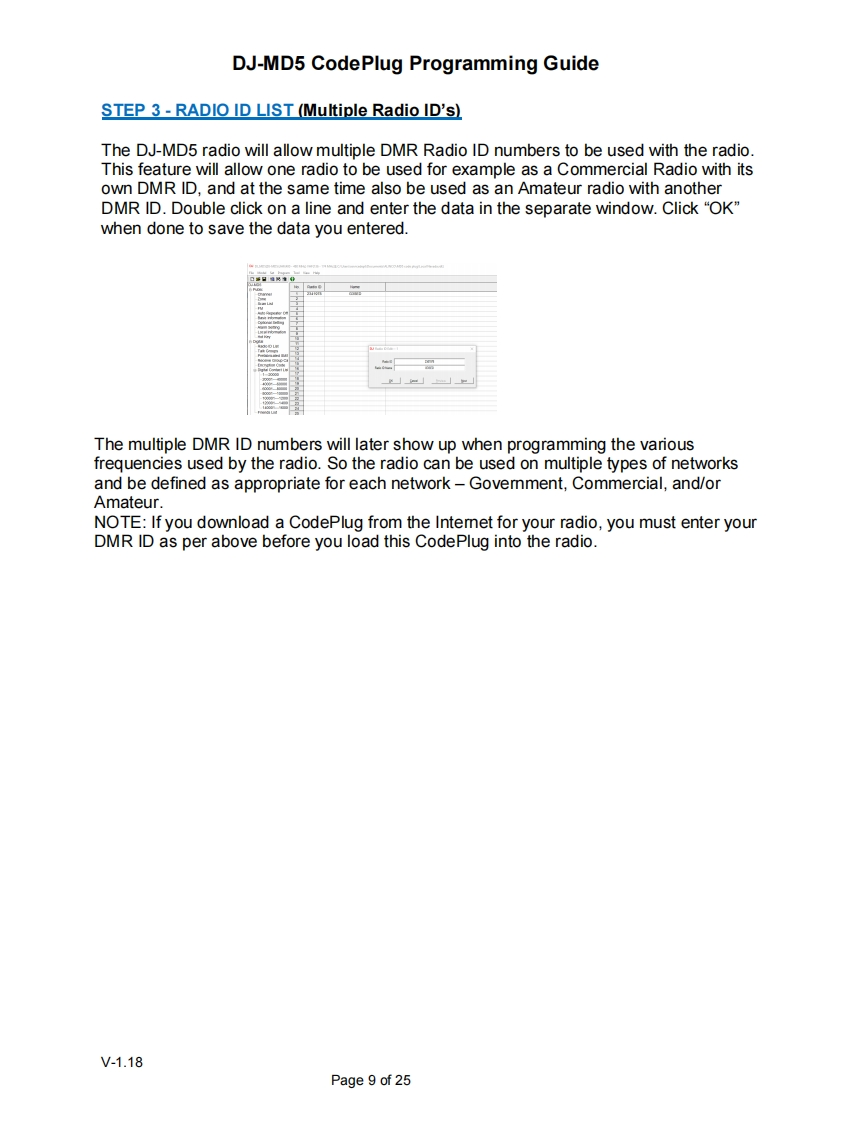
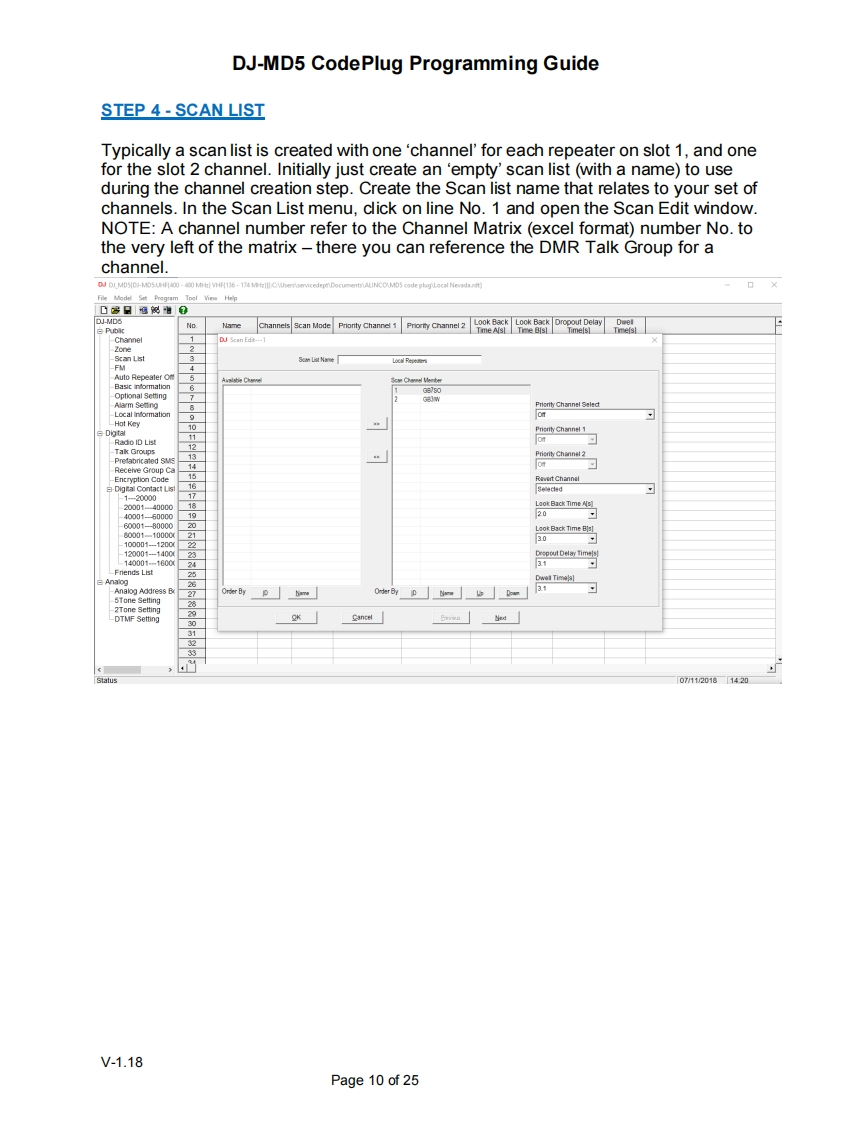
DJ-MD5 CodePlug Programming GuideINTRODUCTIONThe software which programs the radio frequencies and all other user definedaspects of the operation is called a "codeplug".Creating a codeplug is a 'bottom up'process where the lowest(common)elements must be created first,then built uponuntil a fully functional codeplug,that can be loaded into a radio,has been created.TheDJ-MD5 radio has unique software for both creating the codeplug and writing it into theradio for use.When you start creating a new codeplug,many lists and groups arepopulated with single entries,which may be used as placeholders for initial creation oflists.The programming software (also called CPS)allows to"import"and "export"most of the programming parameters for the creation of large amount of input data tothe radio -for example large lists of contact names.GETTING STARTEDThe programming cable for the DJ-MD5 radio is typically provided by Alinco.Thereare several different types of programming cables available,and the one to use has avery small USB connector.Ports (COM LPT)⊥骨GD32 Virtual Com Port(COM14)If you do not see this USB port driver,you should install the USB driver from the fileGD_VirtualComDriver 1.0.1.2118 folder as an Administrator to your computer.Selectthe x64 or x86 version depending on the operating system of the computer you use.V-1.18Page 1 of 25



请登录后查看评论内容