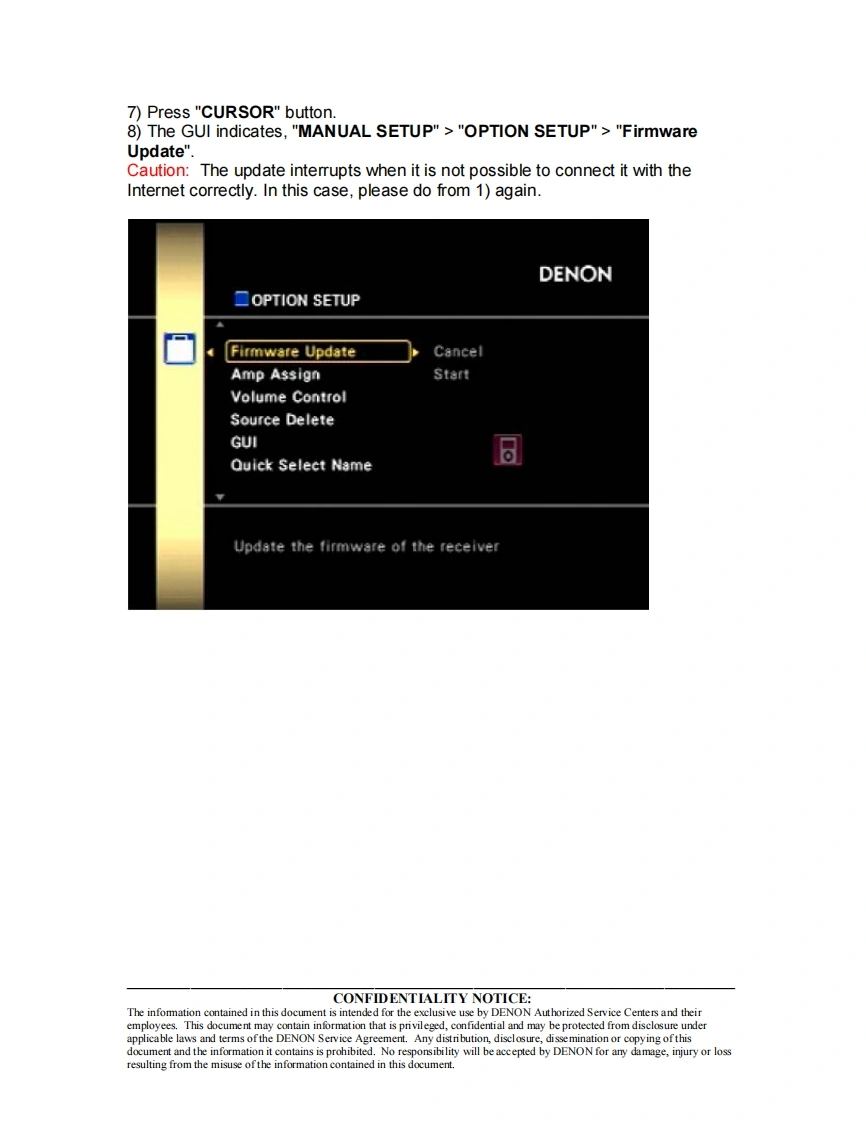
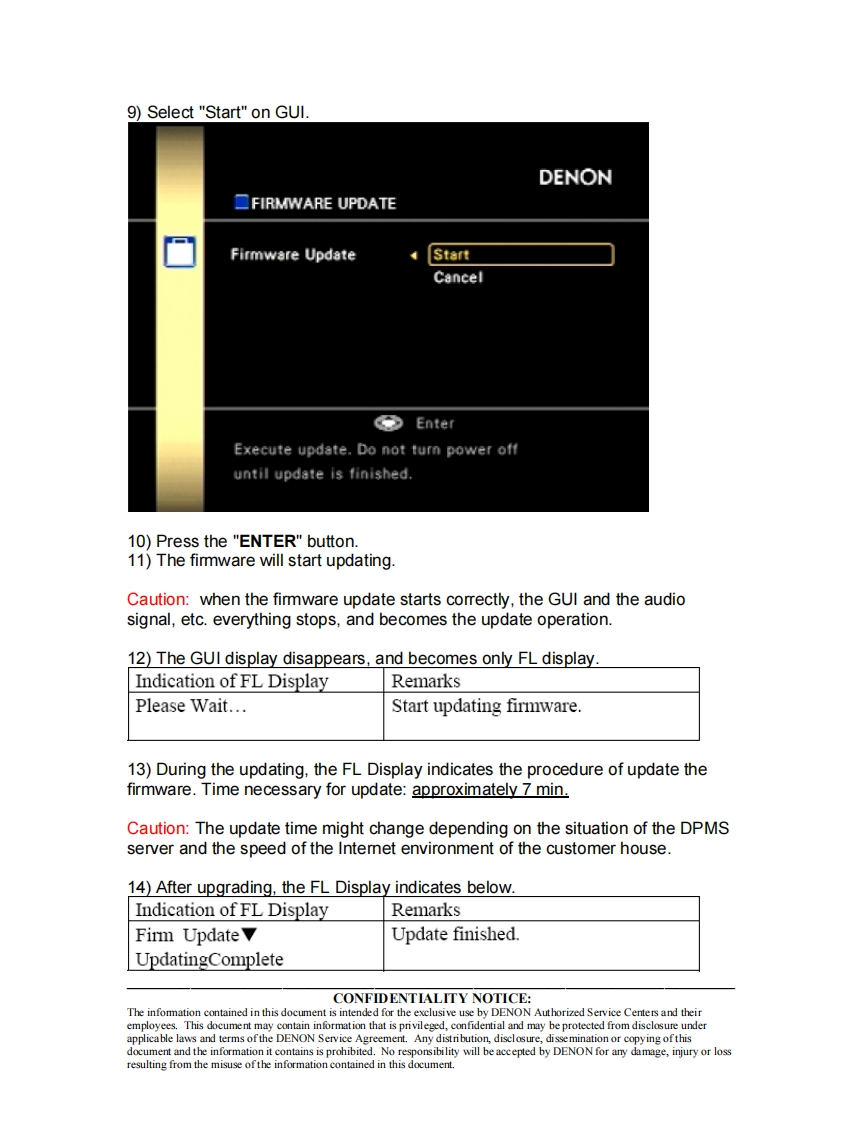
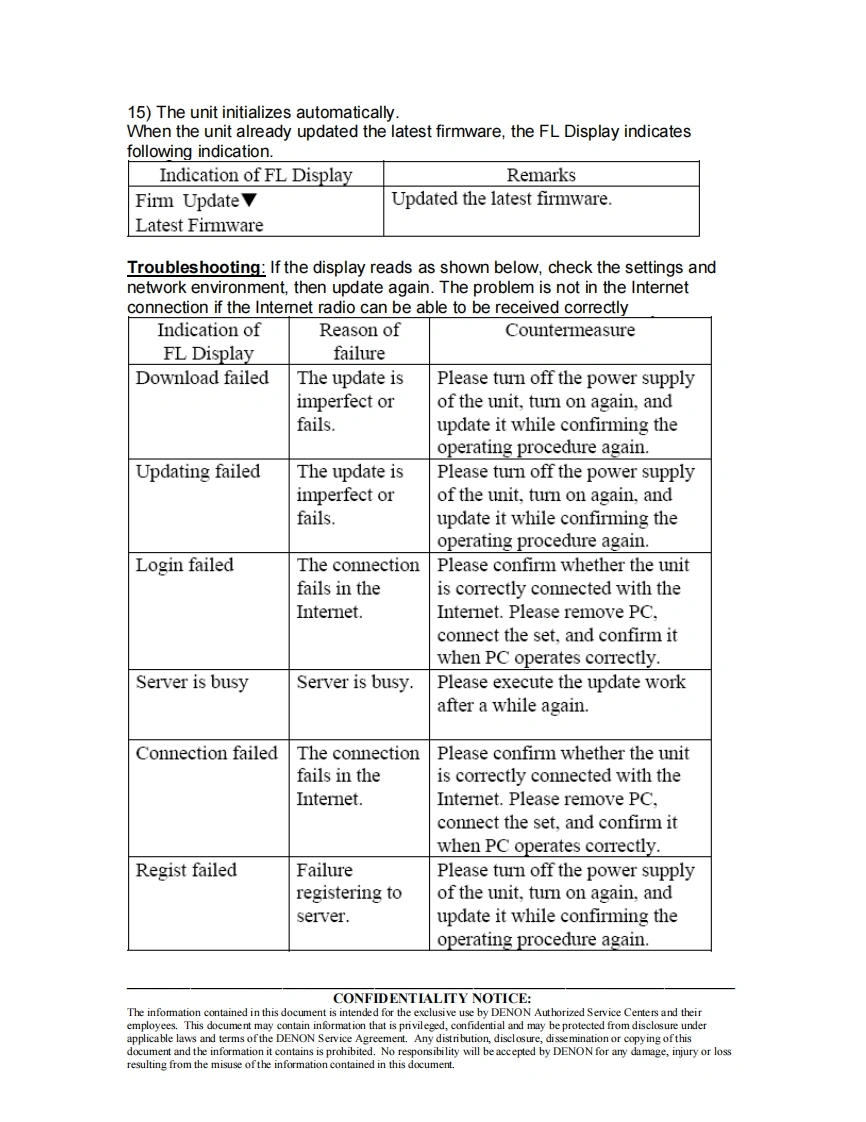
D&MD&M Holdings Inc.100 Corporate Drive Mahwah,NJ 07430DENONService BulletinN0.:DZ10-121Date:August 30,2010Model:AVR-3311CI,AVR-991Subject:Correction of the Firmware via DPMS(D&M Product ManagementServer).Countermeasure is applicable only upon claim from the customer.Symptom:AVRxx11 Series Receivers in combination with Control4Installations,after a power failure,the AVRxx11 models do not reconnect.Solution:We corrected the firmware so that no malfunction occurs.Updating the firmware(Refer to the Instruction Manual.)1)Turn the Power Supply of the unit off.2)Connect the Ethernet terminal of the unit to the Network line by Ethernetstraight cable.(Don't use Ethernet cross cable.)3)The connection of the network recommends the Ethernet cable for certainupdate.4)Turn the Power Supply of the unit on.5)The unit sets the Internet.Wait for about two minutes until customer's routerends the set up.Caution:The update doesn't succeed when the customer's set cannot connect tothe Intemet correctly.In this case,please confirm the internet environment in thecustomer's house.Whether the set is able to receive Intemet radio correctly ornot can be used to determine whether the Internet is properly connected.Thereare some problems under the intemet environment when the Intemet radio cannot be received.6)Press "MENU"button on the front panel and indicates the GUl menu.CONFIDENTIALITY NOTICE:The information contained in this document is intended for the exclusive use by DENON Authorized Service Centers and theiremployees.This document may contain information that is privileged,confidential and may be protected from disclosure underapplicable laws and terms of the DENON Service Agreement.Any distribution,disclosure,dissemination or copying of thisdocument and the information it contains is prohibited.No responsibility will be accepted by DENON for amy damage,injury or lossresulting from the misuse ofthe information contained in this document.



请登录后查看评论内容