
第1页 / 共4页
试读已结束,还剩3页,您可下载完整版后进行离线阅读
THE END
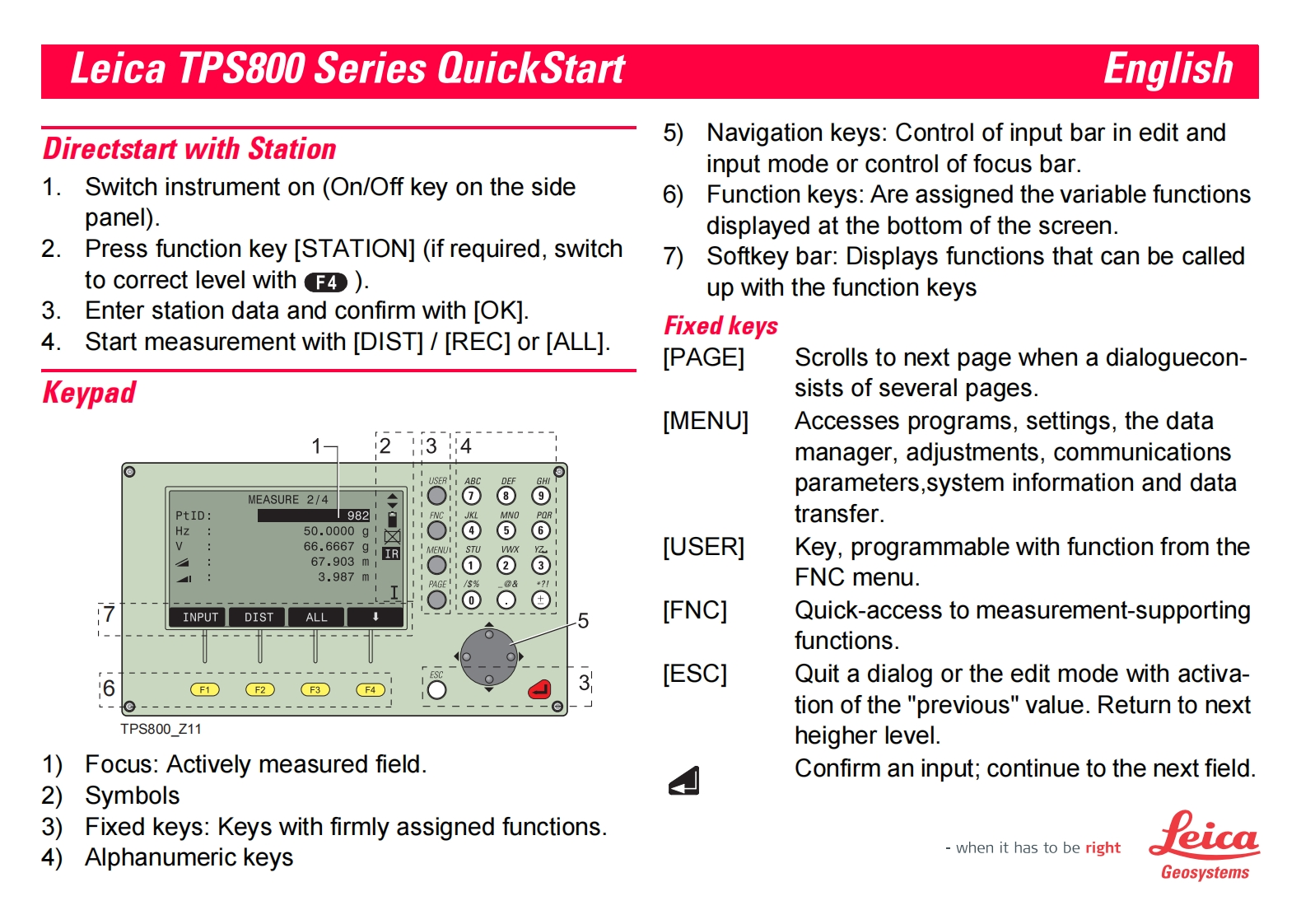
Leica TPS800 Series QuickStartEnglishDirectstart with Station5)Navigation keys:Control of input bar in edit andinput mode or control of focus bar.1.Switch instrument on (On/Off key on the side6)Function keys:Are assigned the variable functionspanel).displayed at the bottom of the screen.2.Press function key [STATION](if required,switch7)Softkey bar:Displays functions that can be calledto correct level with).up with the function keys3.Enter station data and confirm with [OK].Fixed keys4.Start measurement with [DIST]/[REC]or [ALL].[PAGE]Scrolls to next page when a dialoguecon-Keypadsists of several pages.[MENU]Accesses programs,settings,the data234manager,adjustments,communicationsǒ6parameters,system information and dataMEASURE 2/4PtID:1982transfer.Hz50.0000g6666.6667g1IR[USER]Key,programmable with function from the67.903m1③3.987m1¥7FNC menu.7INPUTDISTALL5[FNC]Quick-access to measurement-supportingfunctions.6[ESC]Quit a dialog or the edit mode with activa-F1F2F3F4tion of the "previous"value.Return to nextTPS800_Z11heigher level.1)Focus:Actively measured field.Confirm an input;continue to the next field.2)Symbols3)Fixed keys:Keys with firmly assigned functions4)Alphanumeric keyswhen it has to be righteicaGeosystems


请登录后查看评论内容