
第1页 / 共2页
试读已结束,还剩1页,您可下载完整版后进行离线阅读
THE END
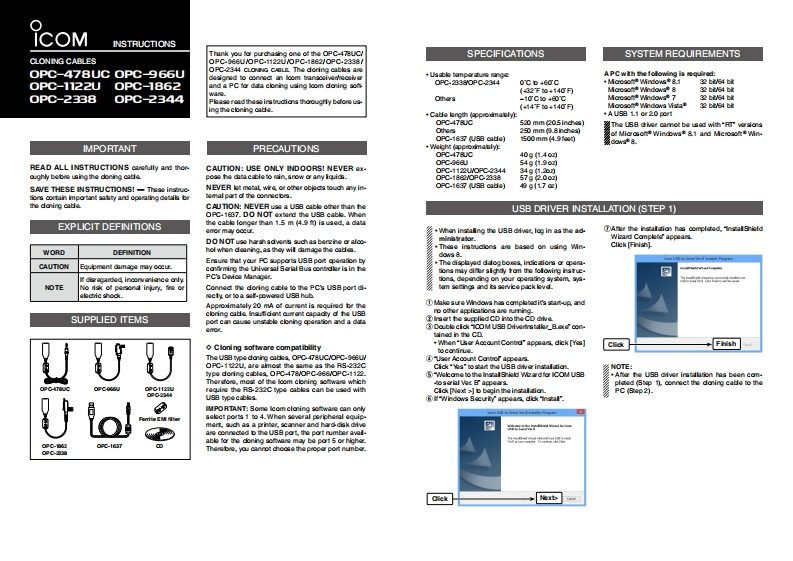
ICOMINSTRUCTIONSThank you for purchasing one of the OPC-478UC/SPECIFICATIONSSYSTEM REQUIREMENTSCLONING CABLES0PC-9eeUN0PC-1122UN0PC-18620PC-2338/OPC-478UC OPC-966UOPC-2344 CLONNG CAOLE The doring cabks ardesigned to connect an loom transosivenscaiveA PCwth the folowin的se女血ad:OPC-1122UOP℃-1862and a PC for dara cloning using loom doning sof0PC-23380PC-2344OC D 4E0C(32F0+140问Mocoo Windows 83264OPC-2338OP℃2344Pka0mdhe0is道ash0 oughy befone u净0a9-10D0日0(+14F0+140问Mocao Windows Vista3264+Ca山e langth年prooimatly+AUSB 11 or20 port0P℃47aC520mm205in过s】%e8日iver camot be used with“Taas0he的230mm98中8司OPC-1637 (USB cade)of Microso Windows&1 and Mcroao Win.500mm49aa0dows8.IMPORTANTPRECAUTIONS+igh城年prooimalyOPC-478UC40g14READ ALL INSTRUCTIONS carefully and thoeOPC-SEBU5491904CAUTION:USE ONLY INDOORS!NEVER x-0PC-1122Uw0P℃-2344oughly betee using the doning catlepose he dhtacable to min,snow or any igid.0-C1820P28SAVE THESE INSTRUCTONS!-These instuoNEVER t metaL wire or other o比米ts touch any in0rC-16gUs9ca山0)09(L7厘jdors cortain important satty and operating dataik betemal part of the connecbes.CAUTON:NEVER uso a USa cabl other than heOPC.1637.DO NOT extand the USB cable.WhenUSB DRIVER INSTALLATION(STEP 1)EXPLICIT DEFINITIONSthe cabl longer than 1.5 m (4.9 is used,a dataamor may oocu.+Whan instaling the USB driver.log in as the ad.DO NOT use harshsdvens guch as berzine or aloo.s业aog.Wiard Conpltaf appearsClick [Fnish]WORD+These instructions are based on using WinDERINITIONhol when deaning.as中yil鱼mage中eca山s.00MM8Ersure that your PC aupports U3日pc年9anyCAUTION5年men酸鱼mag0mayC0cu+eeG年ayed daog boo线indictions or年aacofirming the Uhivarsal Sarial Bus contdkr is in hePG Dovice Man3gtions may diftr sighdly ton the folowing nstuc.回yNOTENo risk of persond injuary.fire orConnect the doring cable to the PC's USB port di.tom sotngs and8ae0pEk超vdecfy or to a s-powered US8 hubApproodmately 20 mA of ourrent is requined tbe theMake sure Windows has complatodit's startup andSUPPLIED ITEMScloring cade Insufident ourrant capadry df he USBport can cause unstable cloning cperation and a dataIisart he suppliad CD into the CD dirive③Dobl ci1o0MUs9 Driverins tallr_且dcentained in the CDCloni ng software compatibility+hen店Accoun酸Contrd'appears dick [Yes]CSckFnishtocotine.The Usa type doning oatks OPC478UCNOPC-96EUOPC.1 t22U,are almost the same as the RS-232Ccld0a”to start the US日divar instal tio.NOTE:type doring cbles OPC-478/OPC-06E/OPC-1122.Welcone to the lnstal Shicld Wizard tor ICOM USBTheror.moat fhe loom coning ware which0adal9r日ga年0生pleted (Stap 1 connect the doning cadle to the09047w009C0四0901122Uregire the RS-232C type cabls can be used withPC ()-Windows3acut/a年asdi以1nar.IMPO RTANT:Some lcom cloing software oan onlyselct ports 1 to 4.When soveral peripheral aquip-mert.such as a printer scaner and hard disk ddveare connected b the USB port,the port number aval-a止kahe少ning sofwane may b0 port 5 or higher.5=200-经0c-167090-3填Thersbre,you cannot choose the proper port nuber.e中


请登录后查看评论内容