
第1页 / 共4页
试读已结束,还剩3页,您可下载完整版后进行离线阅读
THE END
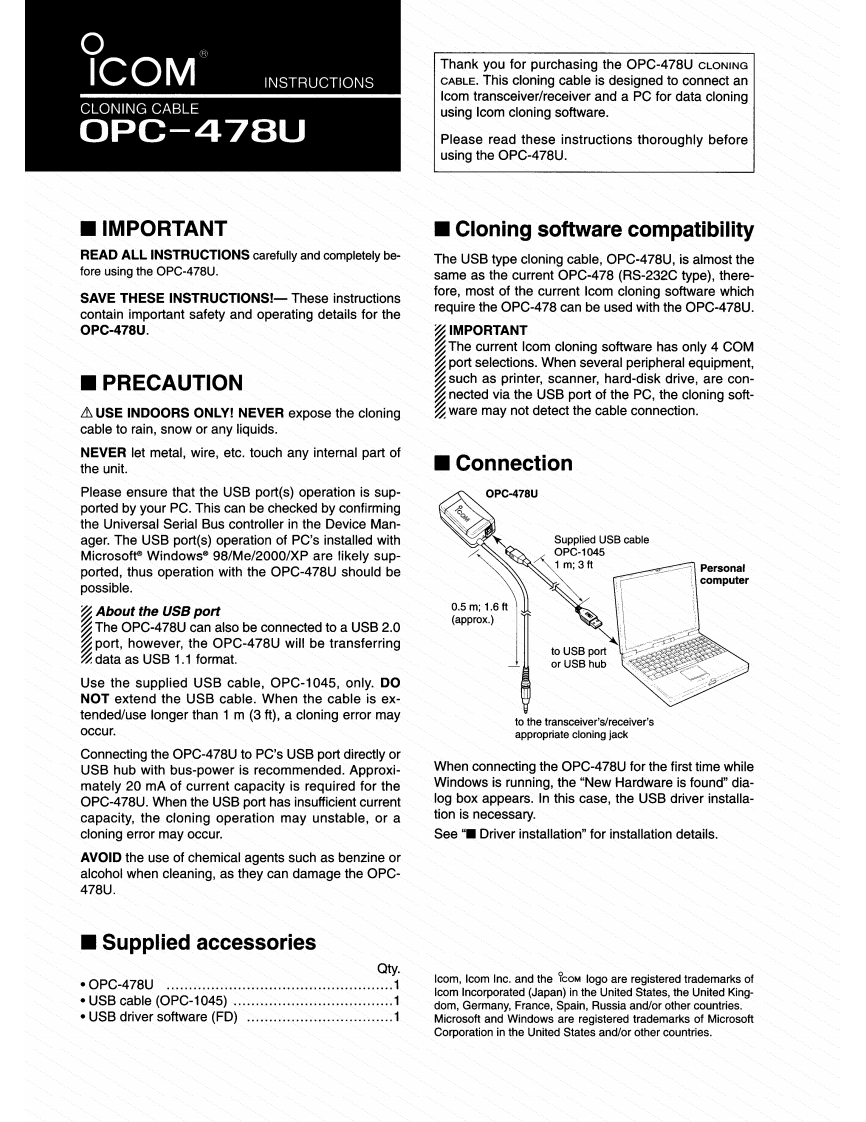
iCOMThank you for purchasing the OPC-478U CLONINGINSTRUCTIONSCABLE.This cloning cable is designed to connect anIcom transceiver/receiver and a PC for data cloningCLONING CABLEusing Icom cloning software.OPC-478UPlease read these instructions thoroughly beforeusing the OPC-478U.■IMPORTANTCloning software compatibilityREAD ALL INSTRUCTIONS carefully and completely be-The USB type cloning cable,OPC-478U,is almost thefore using the OPC-478U.same as the current OPC-478(RS-232C type),there-SAVE THESE INSTRUCTIONS!-These instructionsfore,most of the current Icom cloning software whichcontain important safety and operating details for therequire the OPC-478 can be used with the OPC-478U.0PC-478U.IMPORTANTThe current Icom cloning software has only 4 COMport selections.When several peripheral equipment,■PRECAUTIONsuch as printer,scanner,hard-disk drive,are con-nected via the USB port of the PC,the cloning soft-AUSE INDOORS ONLY!NEVER expose the cloningware may not detect the cable connection.cable to rain,snow or any liquids.NEVER let metal,wire,etc.touch any internal part ofthe unit.■ConnectionPlease ensure that the USB port(s)operation is sup-0PC-478Uported by your PC.This can be checked by confirmingthe Universal Serial Bus controller in the Device Man-ager.The USB port(s)operation of PC's installed withSupplied USB cableMicrosofte Windows 98/Me/2000/XP are likely sup-OPC-1045ported,thus operation with the OPC-478U should be1m;3tPersonalpossible.computerAbout the USB port0.5m;16tThe OPC-478U can also be connected to a USB 2.0(approx.)port,however,the OPC-478U will be transferringto USB portdata as USB 1.1 format.or USB hubUse the supplied USB cable,OPC-1045,only.DONOT extend the USB cable.When the cable is ex-tended/use longer than 1 m (3 ft),a cloning error mayto the transceiver's/receiver'soccur.appropriate cloning jackConnecting the OPC-478U to PC's USB port directly orUSB hub with bus-power is recommended.Approxi-When connecting the OPC-478U for the first time whilemately 20 mA of current capacity is required for theWindows is running,the "New Hardware is found"dia-OPC-478U.When the USB port has insufficient currentlog box appears.In this case,the USB driver installa-capacity,the cloning operation may unstable,or ation is necessary.cloning error may occur.See"Driver installation"for installation details.AVOID the use of chemical agents such as benzine oralcohol when cleaning,as they can damage the OPC-478U.Supplied accessoriesQty.·0PC-478UIcom,Icom Inc.and the coM logo are registered trademarks of·USB cable(OPC-1045)Icom Incorporated (Japan)in the United States,the United King-1dom,Germany,France,Spain,Russia and/or other countries..USB driver software (FD).....Microsoft and Windows are registered trademarks of MicrosoftCorporation in the United States and/or other countries.


请登录后查看评论内容