
第1页 / 共2页
试读已结束,还剩1页,您可下载完整版后进行离线阅读
THE END
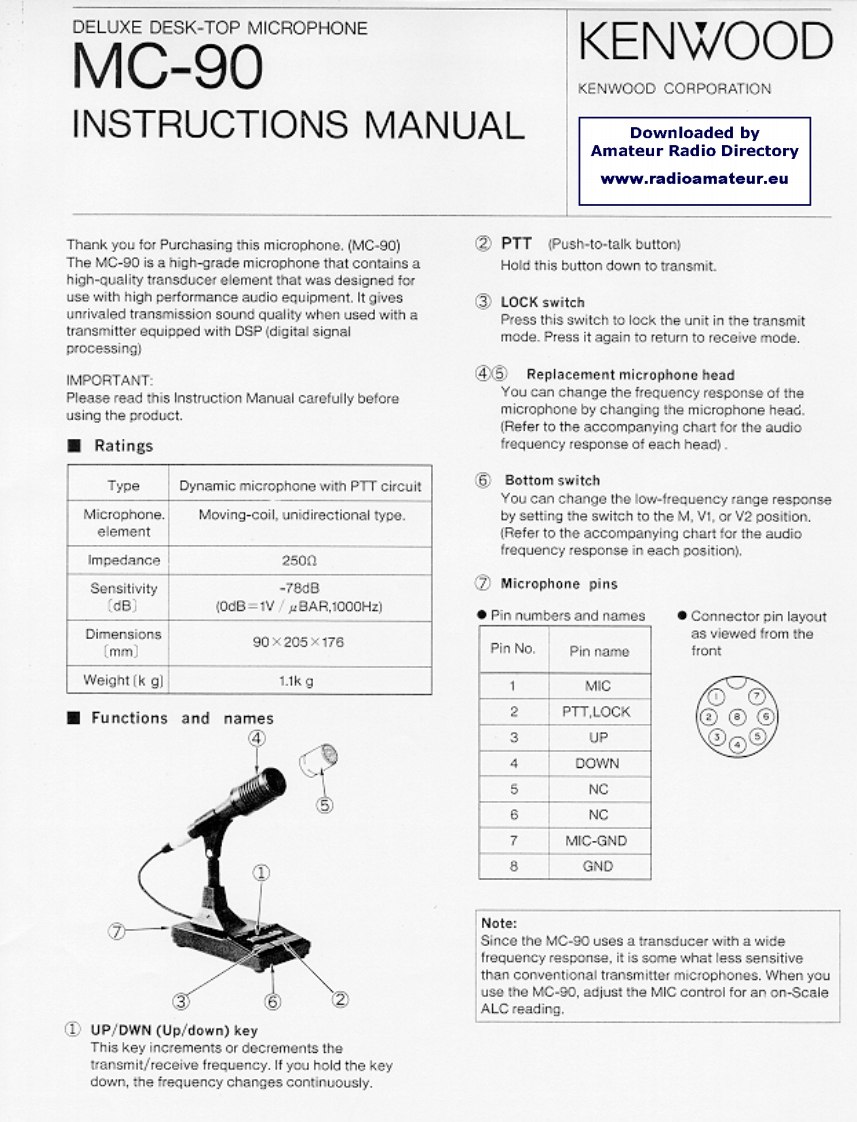
DELUXE DESK-TOP MICROPHONEMC-90KENWOODKENWOOD CORPORATIONINSTRUCTIONS MANUALDownloaded byAmateur Radio Directorywww.radioamateur.euThank you for Purchasing this microphone.(MC-90)2 PTT (Push-to-talk button)The MC-90 is a high-grade microphone that contains aHold this button down to transmit.high-quality transducer element that was designed foruse with high performance audio equipment.It gives③LOCK switchunrivaled transmission sound quality when used with aPress this switch to lock the unit in the transmittransmitter equipped with DSP(digital signalmode.Press it again to return to receive mode.processing)IMPORTANT:④⑤Replacement microphone headPlease read this Instruction Manual carefully beforeYou can change the frequency response of theusing the product.microphone by changing the microphone head.(Refer to the accompanying chart for the audio■Ratingsfrequency response of each head).TypeDynamic microphone with PTT circuit⑤Bottom switchYou can change the low-frequency range responseMicrophoneMoving-coil,unidirectional type.by setting the switch to the M,V1,or V2 position.element(Refer to the accompanying chart for the audiofrequency response in each position).Impedance2500Sensitivity-78dB⑦Microphone pins(dB)(OdB=1V/BAR,1000Hz)●Pin numbers and names●Connector pin layoutDimensions90×205×176as viewed from the[mm]Pin No.Pin namefrontWeight [k g]1.1kgMICFunctions and names2PTT,LOCK④3UP4DOWN5NC6NC7MIC-GND8GNDNote:Since the MC-90 uses a transducer with a widefrequency response,it is some what less sensitivethan conventional transmitter microphones.When you③2use the MC-90,adjust the MIC control for an on-ScaleALC reading.①UP/DwN(Up/down)keyThis key increments or decrements thetransmit/receive frequency.If you hold the keydown,the frequency changes continuously.


请登录后查看评论内容