
第1页 / 共20页
试读已结束,还剩19页,您可下载完整版后进行离线阅读
THE END
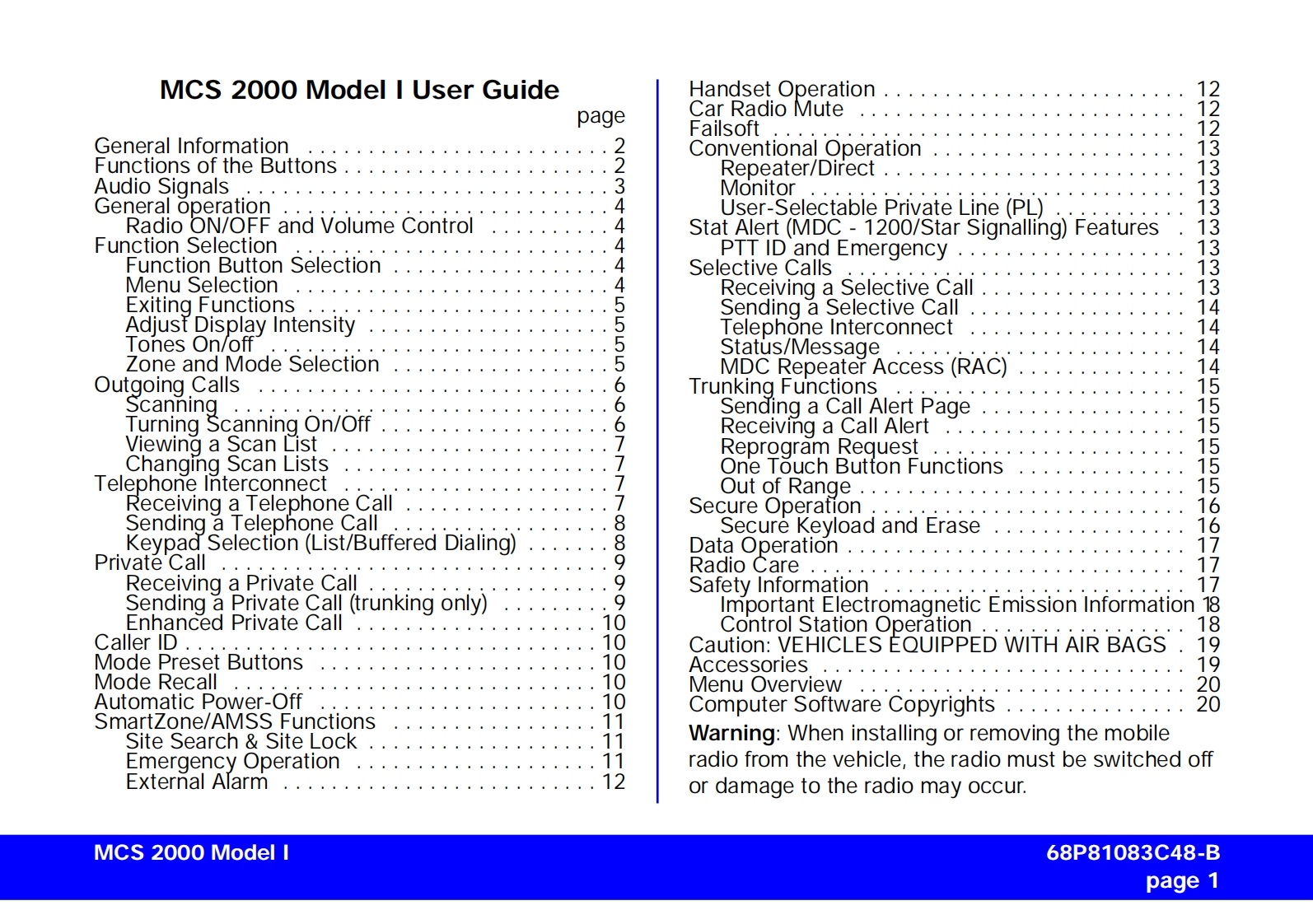
MCS 2000 Model I User GuideHandset Operation..............pageCar Radio MuteFailsoft12212General Information223Conventional Operation3Functions of the Buttons.......Repeater/Direct..........13Audio Signals.......Monitor13General operation4User-Selectable Private Line(PL)3Radio ON/OFF and Volume Control4Stat Alert(MDC -1200/Star Signalling)Features3Function SelectionPTT ID and EmergencyFunction Button Selection4Selective Calls13Menu Selection4Receiving a Selective Call13Exiting FunctionsSending a Selective Call14Adjust Display Intensity555Telephone Interconnect14Tones On/offStatus/Message14Zone and Mode SelectionMDC Repeater Access(RAC)14Outgoing CallsbTrunking Functions15Scanning6Sending a Call Alert Page15Turning Scanning On/Off6Receiving a Call Alert15Viewing a Scan ListReprogram RequestChanging Scan ListsOne Touch Button Functions15Telephone InterconnectReceiving a Telephone CallOut of Range......·····.Secure OperationSending a Telephone Call8Secure Keyload and Erase16Keypad Selection(List/Buffered Dialing)8Data Operation .............17Private Call..Radio Care .17Receiving a Private Call9Safety Information17Sending a Private Call (trunking only)9Important Electromagnetic Emission Information 18Enhanced Private Call1Control Station Operation18Caller ID ..10Caution:VEHICLES EQUIPPED WITH AIR BAGS19Mode Preset Buttons10Accessories19Mode Recall10Menu Overview20Automatic Power-Off10Computer Software Copyrights.........20SmartZone/AMSS Functions11Site Search Site Lock11Warning:When installing or removing the mobileEmergency Operationradio from the vehicle,the radio must be switched offExternal Alarm12or damage to the radio may occur.MCS 2000 Model I68P81083C48-Bpage 1


请登录后查看评论内容