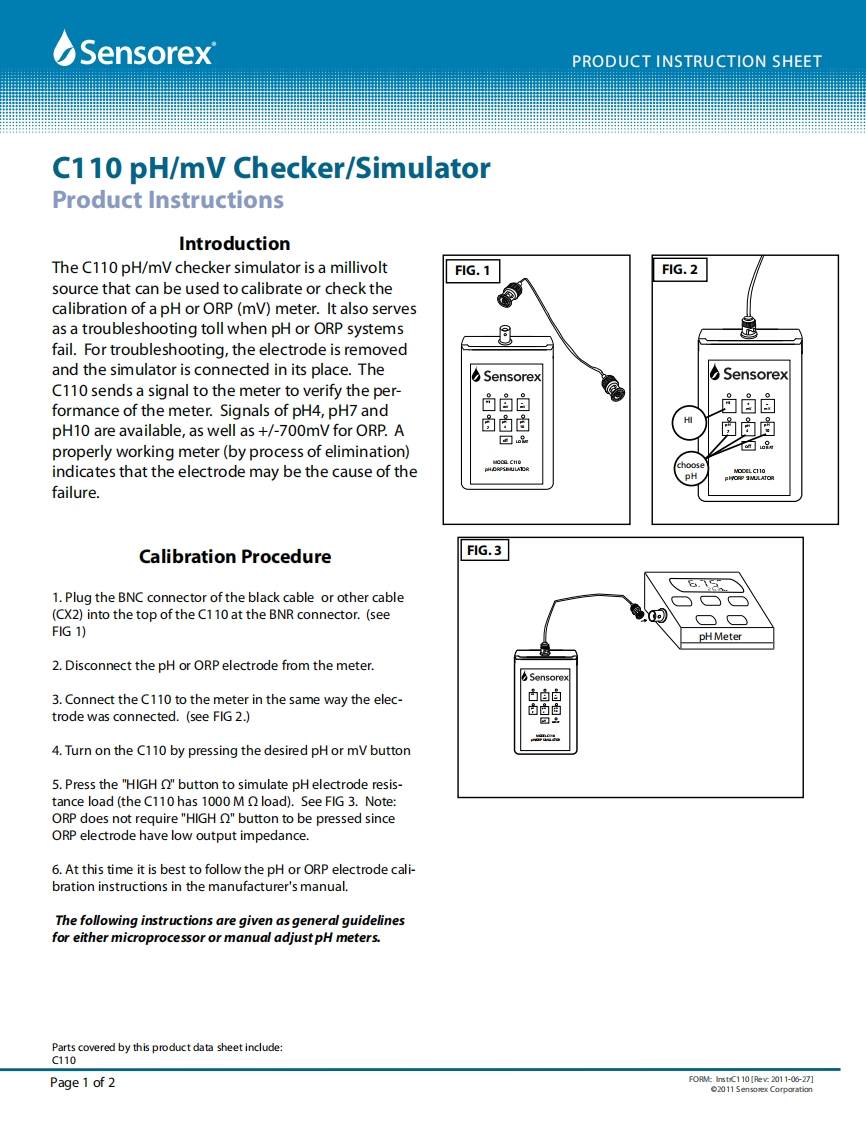
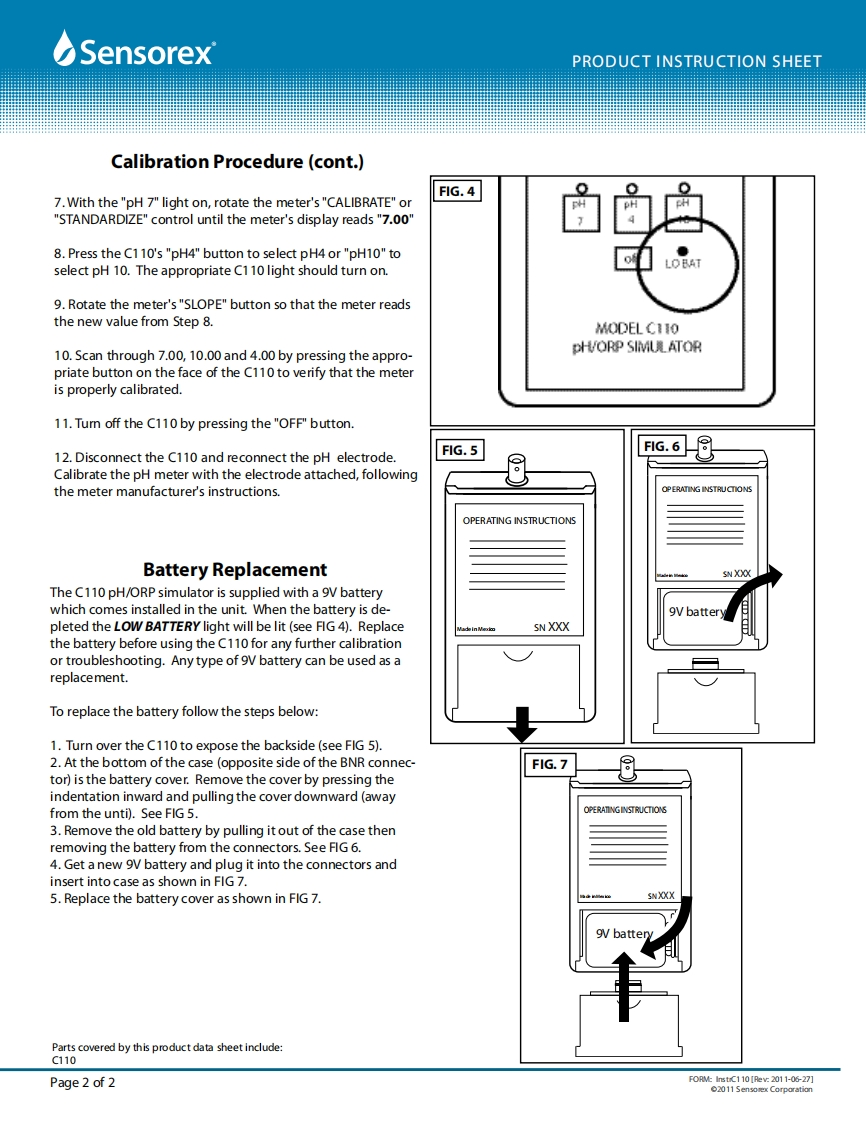
☑SensorexPRODUCT INSTRUCTION SHEETC110 pH/mV Checker/SimulatorProduct InstructionsIntroductionThe C110 pH/mV checker simulator is a millivoltF1G.1F1G.2source that can be used to calibrate or check thecalibration of a pH or ORP(mV)meter.It also servesas a troubleshooting toll when pH or ORP systemsfail.For troubleshooting,the electrode is removedand the simulator is connected in its place.TheSensorexSensorexC110 sends a signal to the meter to verify the per-formance of the meter.Signals of pH4,pH7 and白自自马自自白白HpH10 are available,as well as +/-700mV for ORP.A中▣oproperly working meter(by process of elimination)8indicates that the electrode may be the cause of theeGe8HO CATCfailure.Calibration ProcedureF1G.31.Plug the BNC connector of the black cable or other cable(CX2)into the top of the C110 at the BNR connector.(see二口FIG 1)pH Meter2.Disconnect the pH or ORP electrode from the meter.Sensorex3.Connect the C110 to the meter in the same way the elec-中自白trode was connected.(see FIG 2.)自白尚回出4.Turn on the C110 by pressing the desired pH or mV button5.Press the "HIGH O"button to simulate pH electrode resis-tance load (the C110 has 1000 M load).See FIG 3.Note:ORP does not require "HIGH O"button to be pressed sinceORP electrode have low output impedance.6.At this time it is best to follow the pH or ORP electrode cali-bration instructions in the manufacturer's manual.The following instructions are given as general guidelinesfor either microprocessor or manual adjust pH meters.Parts covered by this product data sheet include:C110Page 1 of 2F0 RM:InstiC110Iec2011-06-27]02011 Sensorex Corporation


请登录后查看评论内容