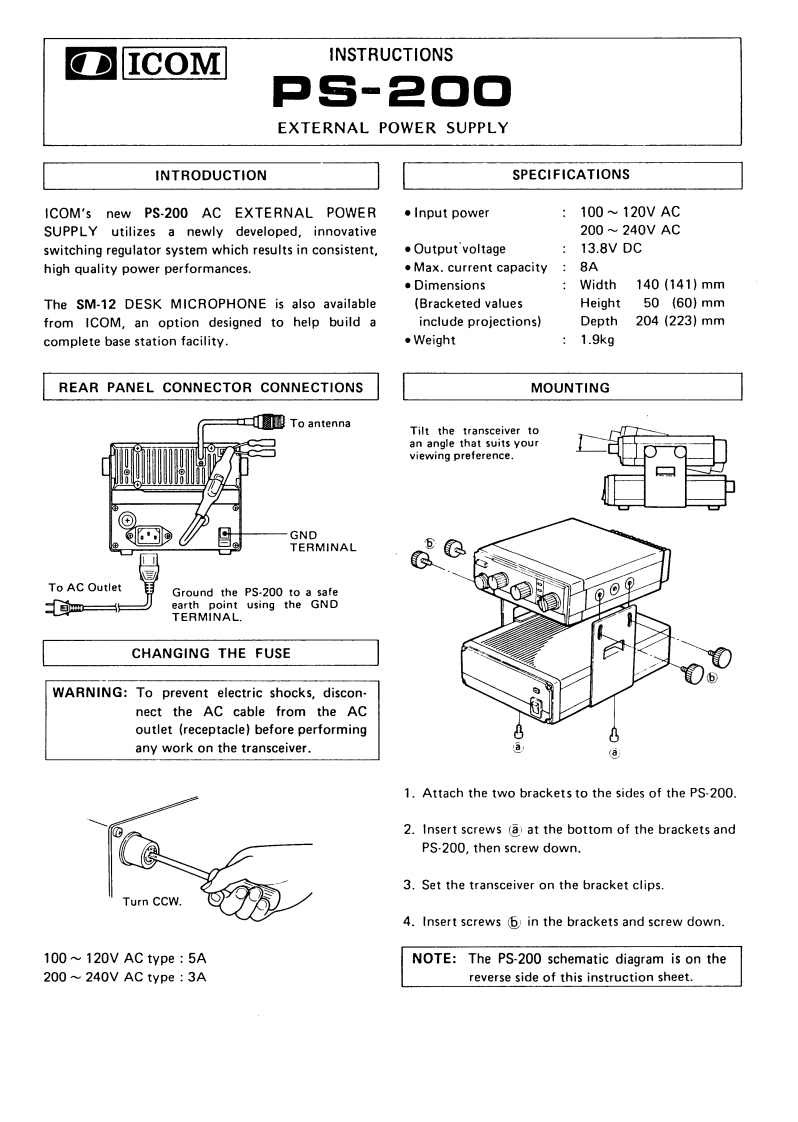
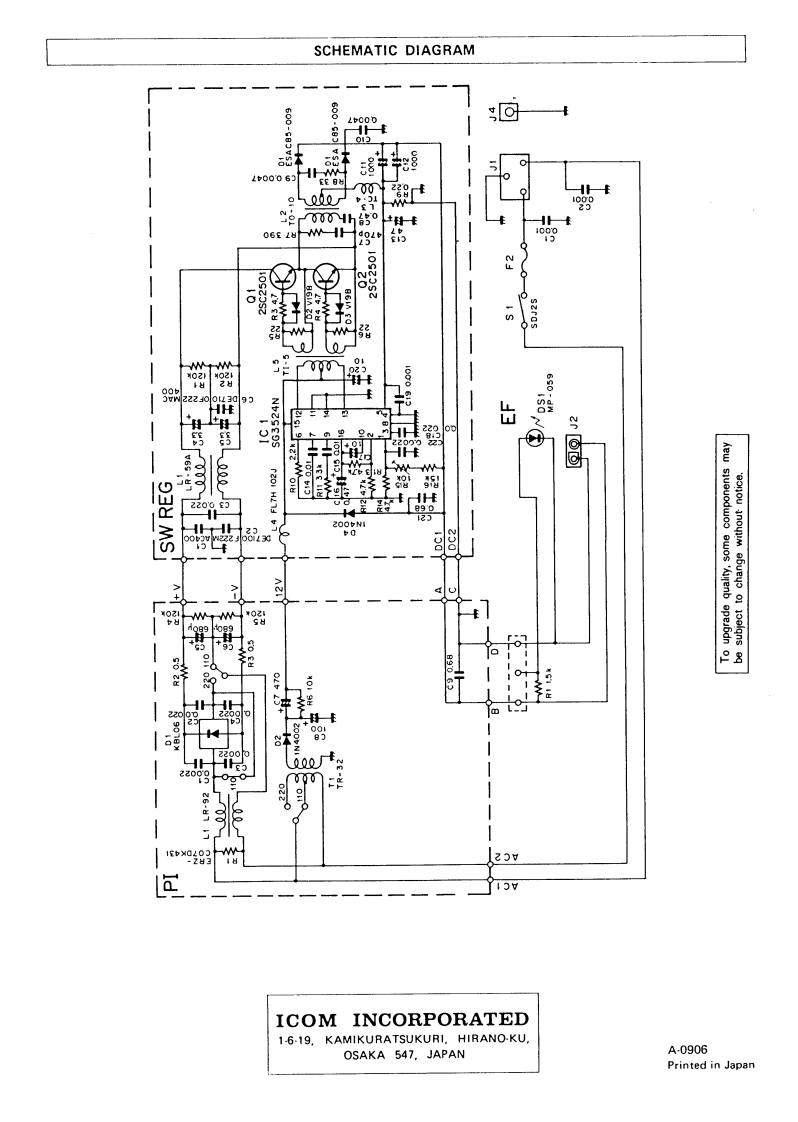
ICOMINSTRUCTIONSPS-200EXTERNAL POWER SUPPLYINTRODUCTIONSPECIFICATIONSICOM's new PS-200 AC EXTERNAL POWER.Input power100~120VACSUPPLY utilizes a newly developed,innovative200~240VACswitching regulator system which results in consistent,·Output voltage13.8V DChigh quality power performances..Max.current capacity 8A·DimensionsWidth140(141)mmThe SM-12 DESK MICROPHONE is also available(Bracketed valuesHeight 50 (60)mmfrom ICOM,an option designed to help build ainclude projections)Depth 204(223)mmcomplete base station facility..Weight1.9kgREAR PANEL CONNECTOR CONNECTIONSMOUNTINGTo antennaTilt the transceiver toan angle that suits yourviewing preference.GNDTERMINALTo AC OutletGround the PS-200 to a safe或w=earth point using the GNDTERMINAL.CHANGING THE FUSEWARNING:To prevent electric shocks,discon-nect the AC cable from the ACoutlet (receptacle)before performingany work on the transceiver.a1.Attach the two brackets to the sides of the PS-2002.Insert screws a)at the bottom of the brackets andPS-200,then screw down.3.Set the transceiver on the bracket clips.Turn CCW.4.Insert screws 6 in the brackets and screw down.100~120V AC type 5ANOTE:The PS-200 schematic diagram is on the200 ~240V AC type 3Areverse side of this instruction sheet.



请登录后查看评论内容