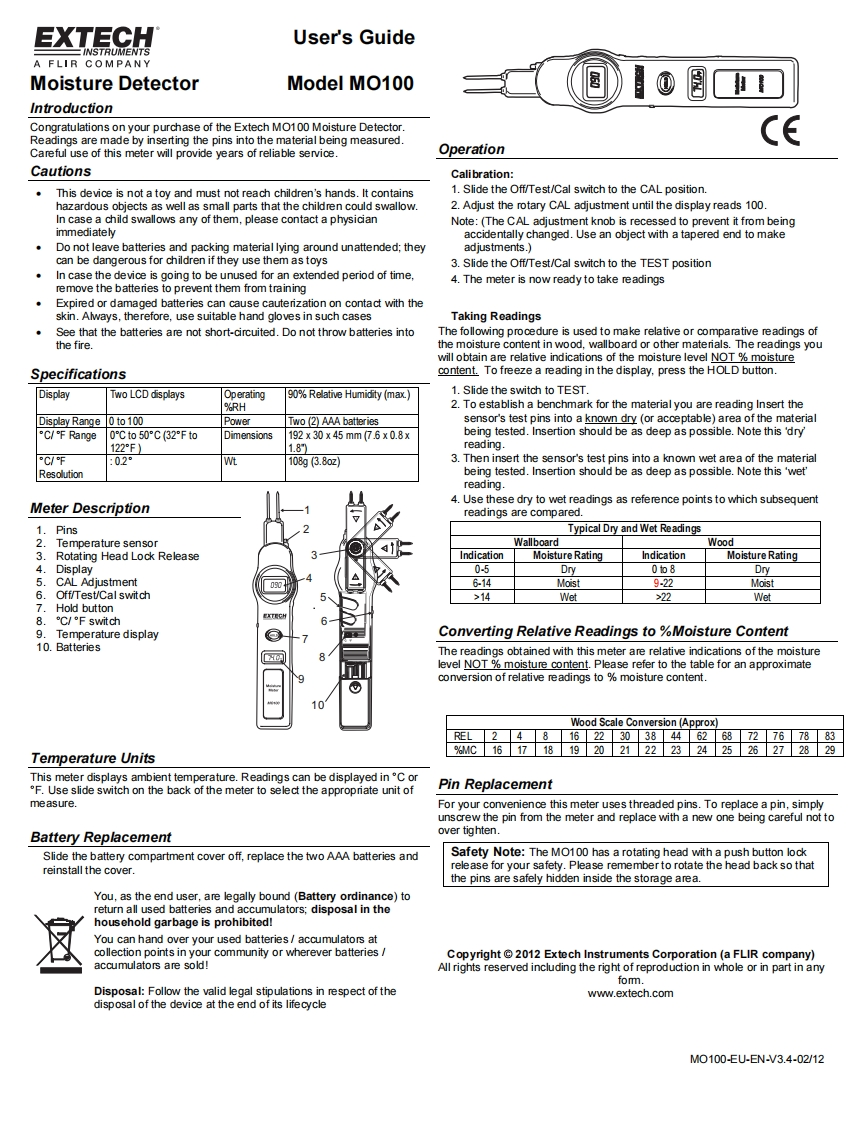
EXTECHUser's GuideEINSTRUMENTSA FLIR COMPANYMoisture DetectorModel MO100IntroductionCongratulations on your purchase of the Extech MO100 Moisture DetectorReadings are made by inserting the pins into the material being measuredCareful use of this meter will provide years of reliable serviceOperationCautionsCalibration:This device is not a toy and must not reach children's hands.It contains1.Slide the Off/Test/Cal switch to the CAL positionhazardous objects as well as small parts that the children could swallow.2.Adjust the rotary CAL adjustment until the display reads 100.In case a child swallows any of them,please contact a physicianNote:(The CAL adjustment knob is recessed to prevent it from beingimmediatelyaccidentally changed.Use an object with a tapered end to makeDo not leave batteries and packing material lying around unattended;theyadjustments.)】can be dangerous for children if they use them as toys3.Slide the Off/Test/Cal switch to the TEST positionIn case the device is going to be unused for an extended period of time,4.The meter is now ready to take readingsremove the batteries to prevent them from trainingExpired or damaged batteries can cause cauterization on contact with theskin.Always,therefore,use suitable hand gloves in such casesTaking ReadingsSee that the batteries are not short-circuited.Do not throw batteries intoThe following procedure is used to make relative or comparative readings ofthe fire.the moisture content in wood,wallboard or other materials.The readings youwill obtain are relative indications of the moisture level NOT moistureSpecificationscontent.To freeze a reading in the display,press the HOLD button.DisplayTwo LCD displaysOperating90%Relative Humidity (max.)1.Slide the switch to TEST.%RH2.To establish a benchmark for the material you are reading Insert theDisplay Range0 to 100PowerTwo2)A4 A batteriessensor's test pins into a known dry (or acceptable)area of the materialC/F Range0℃to50°C(32FtoDimensions192x30X45mm76x0.8xbeing tested.Insertion should be as deep as possible.Note this 'dry122F)1.87reading.C/F:02°Wt08g3.8oz]3.Then insert the sensor's test pins into a known wet area of the materialResolutionbeing tested.Insertion should be as deep as possible.Note this 'wet'reading.4.Use these dry to wet readings as reference points to which subsequentMeter Descriptionreadings are compared.1.PinsTypical Dry and Wet Readings2.Temperature sensorWallboardWood3.Rotating Head Lock ReleaseIndicationMoisture RatingIndicationMoisture Rating4.Display0-5Dry0b8Dry5.CAL Adjustment6-14Moist9-22Moist6Off/Test/Cal switch>14Wet>22Wet7.Hold button8.C/F switch9.Temperature displayConverting Relative Readings to %Moisture Content10.BatteriesThe readings obtained with this meter are relative indications of the moisturelevel NOT moisture content.Please refer to the table for an approximateconversion of relative readings to moisture content.Wood Scale Conversion (Approx)REL2481622303844626872767883%MC1617181920212223242526272829Temperatur


请登录后查看评论内容