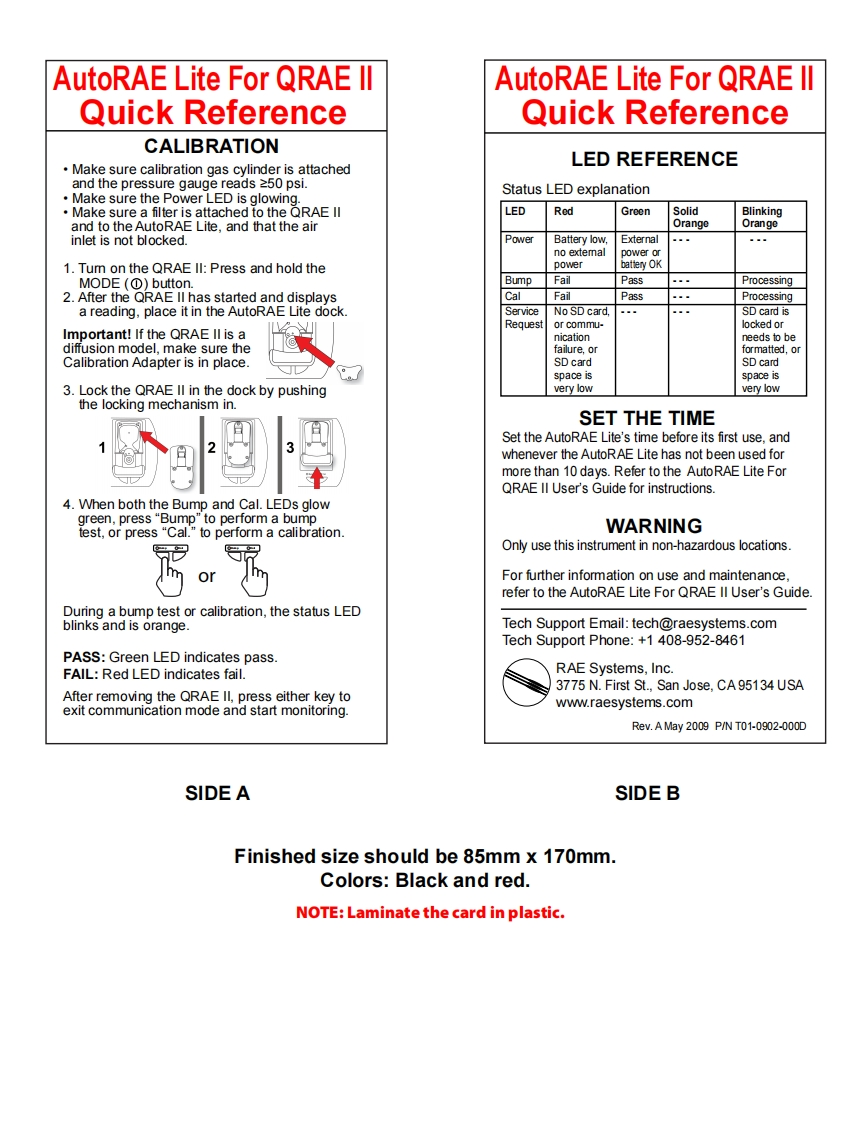
AutoRAE Lite For QRAE IIAutoRAE Lite For QRAE IIQuick ReferenceQuick ReferenceCALIBRATIONMake sure calibration gas cylinder is attachedLED REFERENCEand the pressure gauge reads 250 psi.Make sure the Power LED is glowing.Status LED explanationMake sure a filter is attached to the QRAE IILEDRedGreenSolidBlinkingand to the AutoRAE Lite,and that the airOrangeOrangeinlet is not blocked.PowerBattery low.External。。no extemalpower or1.Tum on the QRAE Il:Press and hold thepowerbattery OKMODE(①)button.Bump FailPassProcessing2.After the QRAE II has started and displaysCalFailPassProcessinga reading,place it in the AutoRAE Lite dock.Service No SD card.SD card isRequestor commu-locked orImportant!If the QRAE Il is anicationneeds to bediffusion model,make sure thefailure,orformatted,orCalibration Adapter is in place.SD cardSD cardspace isspace is3.Lock the QRAE II in the dock by pushingvery lowvery lowthe locking mechanism in.SET THE TIMESet the AutoRAE Lite's time before its first use,andwhenever the AutoRAE Lite has not been used formore than 10 days.Refer to the AutoRAE Lite ForQRAE II User's Guide for instructions.4.When both the Bump and Cal.LEDs glowgreen.press "Bump"to perform a bumptest,or press "Cal."to perform a calibration.WARNINGOnly use this instrument in non-hazardous locations.For further information on use and maintenance,refer to the AutoRAE Lite For QRAE II User's Guide.During a bump test or calibration,the status LEDblinks and is orange.Tech Support Email:tech@raesystems.comTech Support Phone:+1 408-952-8461PASS:Green LED indicates pass.FAIL:Red LED indicates fail.RAE Systems,Inc.3775 N.First St.,San Jose,CA95134 USAAfter removing the QRAE Il,press either key towww.raesystems.comexit communication mode and start monitoring.Rev.AMay2009P/NT01-0902-000DSIDEASIDE BFinished size should be 85mm x 170mm.Colors:Black and red.NOTE:Laminate the card in plastic.



请登录后查看评论内容